


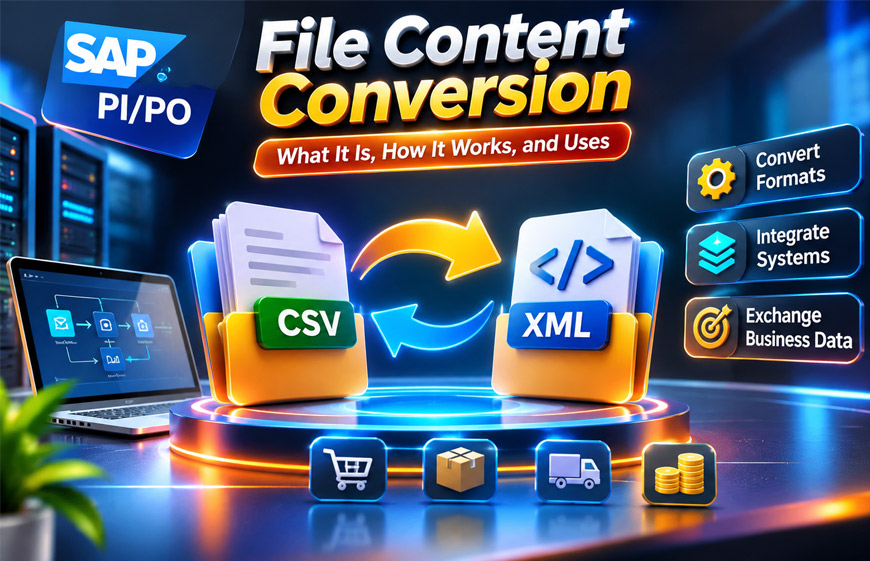
File Content Conversion is a way to change structured data from one format into another. It is useful when two business systems need to share information but use different file structures.
In SAP PI/PO, File Content Conversion is often called FCC. It is commonly used with the File/FTP Adapter. It can change structured text files into XML and can also turn XML into structured text files.
This guide explains what File Content Conversion is, how it works, its main settings, common uses, benefits, limitations, and common problems.
What Is File Content Conversion?
File Content Conversion changes structured data from one file format or representation into another. It helps two systems share information even when they use different data structures.
For example, one system may create a customer record like this:
101,John,New York
Another system may need the same information in XML. FCC can read the Customer ID, Name, and City and create the required XML structure.
It can also work the other way. XML can be changed into a structured text file for a system that does not support XML.
File Content Conversion is not the same as changing a file extension. Renaming customers.csv to customers.xml does not convert the actual data. The system must understand the records, fields, separators, lengths, and required output structure.
Why File Content Conversion Is Used
Companies often use many different software systems. Some are new, while others may have been used for many years. These systems do not always use the same file formats.
For example, a newer system may use XML. An older warehouse or finance system may still use text files. Suppliers and business partners may also require their own file formats.
Replacing a working system only because it uses a different format can be difficult and expensive. FCC helps solve this problem by converting the data between the required structures.
It can be useful for purchase orders, invoices, inventory records, customer information, supplier data, and transaction records.
The main purpose of FCC is to help different systems understand and use the same business data.
Common File Formats Used in FCC
File Content Conversion can work with different types of structured text files.
CSV is a common example. A basic CSV file uses commas to separate values. However, not every flat file uses commas.
Some files may use:
- Semicolons
- Tabs
- Pipes (
|) - Other separators
These are called delimiter-separated files because a character separates one field from another.
Fixed-width files work differently. Each field has a set number of characters. FCC uses these lengths to understand where one field ends and the next one begins.
A business file can also contain different record types. For example, it may have a header at the top, detail records in the middle, and a trailer at the end.
XML has a different structure. It uses named elements and levels to organize information.
The FCC settings must match the actual file type. A delimiter-based file needs the correct separator, while a fixed-width file needs the correct field lengths.
How File Content Conversion Works
Before using FCC, the structure of the source file needs to be understood.
You need to know where each record starts and ends, what each field means, and how the fields are separated.
For fixed-width files, you also need to know the length of each field. If the file contains different record types, FCC needs a way to identify them.
A basic SAP PI/PO sender process looks like this:
Text File → Sender File Adapter → File Content Conversion → XML Message → Integration Processing
The File Adapter reads the file. FCC then reads its records and fields using the configured settings and creates an XML message.
The receiver process works in the opposite direction:
XML Message → Receiver File Adapter → File Content Conversion → Text File
Here, FCC uses the XML data to create the text file required by the receiving system.
Real business files can be more complex. For this reason, it is important to have a clear file specification instead of guessing the structure from a few sample files.
File Content Conversion in SAP PI/PO
File Content Conversion is commonly used with the File/FTP Adapter in SAP Process Integration (PI) and SAP Process Orchestration (PO).
On the sender side, the File Adapter receives a structured text file. FCC reads the file based on the configured rules and creates an XML message.
SAP PI/PO can then process the XML. It can route the message, map the data, or send it to another application.
On the receiver side, SAP PI/PO starts with XML. FCC changes the XML into the structured text format required by the destination system.
One benefit is that developers may not need to write custom Java code for simple file parsing. Standard FCC settings may be enough when the source file has a clear and stable structure.
However, FCC cannot handle every type of data change. Complex calculations, business rules, data enrichment, or major structure changes may need Message Mapping or another tool.
Key Parts of SAP File Content Conversion
Several parts are important in an SAP FCC setup.
The File/FTP Adapter connects file-based systems with SAP PI/PO. A sender adapter reads incoming files, while a receiver adapter creates files for other systems.
FCC parameters tell the system how the file is organized. These settings can define separators, field names, field lengths, recordsets, and other rules.
A recordset describes how records or smaller structures appear in a file. It is useful when the same file contains different types of records.
Field separators tell FCC what separates each value. This may be a comma, semicolon, tab, pipe, or another character.
Fixed field lengths are used when fields have set widths instead of separators.
Key fields can help FCC identify different record types in a file.
Message Mapping has a different purpose. FCC mainly reads or creates the file structure. Message Mapping is used when the actual business data or message structure needs to change.
Keeping these jobs separate also makes errors easier to find.
Important FCC Parameters
FCC parameters tell the converter how to read the file. The correct settings depend on the actual file structure.
NameA.fieldSeparator can define the separator between fields. For example, a comma-separated file needs the correct comma separator setting. If the wrong separator is used, FCC may read the fields incorrectly.
NameA.fieldFixedLengths defines field lengths for fixed-width files. The system may also need to know whether these lengths are based on characters or bytes.
NameA.fieldNames gives names to the fields being read.
NameA.keyFieldValue can help identify a certain record type or substructure when key fields are being used.
The Recordset Structure defines the order and number of different structures in the file. It is useful when the file contains more than one type of record.
Other settings can control text delimiters and the handling of missing or extra fields in supported situations.
There is no single FCC setup that works for every file. The settings should always match the real file specification.
Flat File to XML Conversion
Flat file to XML conversion is a common use of FCC on the sender side.
For example, a file may contain:
101,John,New York
102,Sarah,Chicago
The file specification may say that these values mean Customer ID, Name, and City.
FCC reads the values using the configured separator and creates an XML structure.
The original rows do not decide exactly what the XML will look like. The FCC configuration defines the element names, structure, recordsets, and other details.
More complex files may contain headers, detail records, trailers, and other record types. FCC settings can help identify these different records.
Testing should include more than one perfect example. It should also cover empty fields, long values, special characters, multiple records, and every supported record type.
XML to Flat File Conversion
FCC can also convert XML into a flat file. This is usually done on the receiver side.
For example, SAP PI/PO may have an XML message, but another system may only accept a text file.
Receiver FCC can create that text file using the required layout.
The output may use commas, tabs, pipes, or other separators. It may also use fixed-width fields.
Field order is very important. The receiving system may expect the first field to be an account number, the second to be a date, and the third to be an amount.
Fixed-width files need even more care because every field has a set amount of space.
The final file should always be compared with the receiving system’s official file rules. A file can look correct in a text editor but still have the wrong structure.
File Content Conversion vs Message Mapping
File Content Conversion and Message Mapping do different jobs.
FCC mainly changes how structured data is represented. For example, it can change comma-separated records into XML.
Message Mapping is used when the data itself needs more changes.
For example, a file may contain First Name and Last Name as separate fields. If the destination system wants them combined into one Full Name field, Message Mapping may be needed.
FCC may be enough for simple file conversion. Mapping becomes useful when values, business rules, or the message structure also need to change.
FCC and Message Mapping can also be used together in the same integration process.
Security and File Encryption
File Content Conversion and encryption are different things.
FCC changes the structure of data. Encryption protects the data from people or systems that should not have access to it.
An encrypted incoming file may first need to be decrypted. FCC can then read and convert the structured data.
For outgoing data, FCC may create the required file first. The file can then be encrypted before it is sent.
PGP can be used for encryption and decryption in some file integration setups. The available methods depend on the SAP environment and installed components.
Security should also include safe file transfers, strong credentials, correct access permissions, monitoring, and proper data storage or retention rules.
Benefits of File Content Conversion
FCC can reduce the need for custom code. A well-structured file can often be handled using configuration instead of building a separate parser.
It also helps newer applications work with older systems that still use text files.
Once flat-file data is converted into XML, it can be easier to route and process inside an integration system.
FCC can also make an interface easier to maintain when the file rules and settings are clearly documented.
However, these benefits depend on good source data. FCC works best when the file structure is clear, stable, and predictable.
Limitations of File Content Conversion
FCC does not work well for every type of data.
It depends on a clear file structure. If the format changes often or records are inconsistent, conversion can become difficult.
FCC is mainly for structured information. It is not the best choice for content that has no clear structure.
Complex calculations, business rules, or major data changes may require Message Mapping or another transformation tool.
Large files should also be tested properly. A setup that works with a small test file may need more testing with real production volumes.
Existing SAP PI/PO FCC settings may also need changes when moving to a newer integration platform.
Common FCC Errors and Troubleshooting
FCC errors often happen when the real file does not match the configured structure.
When a problem happens, compare the actual file with the official file specification and the FCC settings.
Wrong Field Separator
If FCC expects commas but the file uses semicolons or pipes, the values may be read incorrectly.
Check the real file and make sure the configured separator is correct.
Incorrect Fixed Field Lengths
Fixed-width files depend on exact field lengths.
If one length is wrong, later values may also appear in the wrong places. Compare the file with the documented field lengths.
Missing or Extra Fields
A record may contain more or fewer fields than FCC expects.
Check whether the source file follows the agreed format. Also check the settings used for missing or extra fields.
Unexpected Record Types
A file may contain headers, detail records, trailers, or other structures.
If FCC does not expect a certain record, processing may fail. Check the Recordset Structure, record order, and key-field settings.
Character Encoding Problems
Special or non-English characters can sometimes cause problems if the file encoding does not match the expected setup.
Check the source file’s encoding and the related integration settings.
Conversion Output Is Wrong
Sometimes FCC processes the file without an obvious error, but the output is still incorrect.
Use a small test file and compare the input with the expected output. Check separators, field names, lengths, recordsets, and key fields.
SAP adapter and message-processing logs can also help find the cause.
File Content Conversion Best Practices
Start with a clear and accurate file specification. It should explain the record types, field order, separators, field lengths, encoding, required values, and optional fields.
Use realistic files for testing. Test multiple records, empty fields, long values, special characters, and all supported record types.
Document important FCC settings. This makes the interface easier for another person to understand and maintain later.
Test realistic file sizes as well. A small sample does not always show how the full integration will perform with large files.
Plan monitoring and error handling before the interface goes live. The team should know how failed files will be found and checked.
Use standard FCC settings when they can handle the requirement. Use another transformation method when the process needs complex business logic.
File Content Conversion and SAP Integration Suite
Companies moving from SAP PI/PO to newer SAP integration technology should review their file conversion requirements carefully.
SAP PI/PO FCC settings should not be expected to work exactly the same way in SAP Integration Suite. The main business need may be the same, but the available converters and settings can differ.
For example, CSV-to-XML and XML-to-CSV processes may need to be created using the tools available in the newer environment. Some older FCC settings may not have an exact replacement.
For this reason, migration should not simply copy the old configuration.
Keep the original file specification, sample input files, expected output, FCC settings, mapping requirements, error rules, and destination requirements.
These details explain what the integration needs to achieve and can help rebuild it correctly on a newer platform.
Common Uses of File Content Conversion
File Content Conversion is useful when systems need to exchange predictable structured files.
Manufacturers may receive supplier inventory files and convert them into XML for internal systems.
Warehouses may use fixed-width or delimiter-separated files for stock information.
Procurement systems can exchange purchase orders and supplier records. Logistics systems may use structured files for shipment updates.
Finance systems may use specific file layouts for invoices and transactions. Customer and HR systems can also exchange structured records.
FCC is also useful for scheduled batch processing. A system can create one file containing many records and send it at a planned time.
FCC works best when the file format is stable and clearly documented.
Is File Content Conversion Still Relevant?
Yes. Many businesses now use APIs and cloud integration, but file-based data exchange is still used.
Some companies still depend on older applications that work with structured text files. Business partners may also use existing file interfaces that continue to work well for their needs.
Batch processing is another common reason. A business may need to send a large number of records together instead of sending each one separately through an API.
The tools used for File Content Conversion may change as companies move to newer integration platforms. However, the basic need remains: one system must understand data created by another system.
Bottom Line
File Content Conversion helps different systems exchange structured data when they use different file formats.
In SAP PI/PO, FCC is commonly used with the File/FTP Adapter to change structured text into XML or XML into structured text.
A good FCC setup depends on a clear file specification. Field separators, field lengths, record types, encoding, and output rules must match the real data.
FCC is different from Message Mapping and encryption. Mapping changes the business data or structure, while encryption protects the information.
Good testing, clear documentation, proper security, and correct configuration can make FCC easier to use and maintain.
Frequently Asked Questions
What is File Content Conversion?
File Content Conversion changes structured file data into another format so different systems can read and use it.
What is FCC in SAP PI/PO?
FCC means File Content Conversion. In SAP PI/PO, it can change structured text files into XML and XML into structured text files.
Can File Content Conversion convert CSV to XML?
Yes. FCC can read properly structured CSV or other delimiter-separated data and convert it into XML.
Can FCC convert XML to a flat file?
Yes. Receiver FCC can turn XML data into delimiter-separated or fixed-width text files.
Can FCC handle fixed-width files?
Yes. FCC can use set field lengths to understand where each value starts and ends.
Does FCC require Message Mapping?
Not always. FCC may be enough for simple file conversion. Message Mapping is useful when the data or business structure also needs to change.
Why does File Content Conversion fail?
It can fail because of wrong separators, incorrect field lengths, missing fields, extra fields, encoding problems, or incorrect FCC settings.
Is PGP encryption part of File Content Conversion?
No. FCC changes the data format, while PGP protects the data through encryption. Both can be used in the same file-processing setup.
Explore More:

