


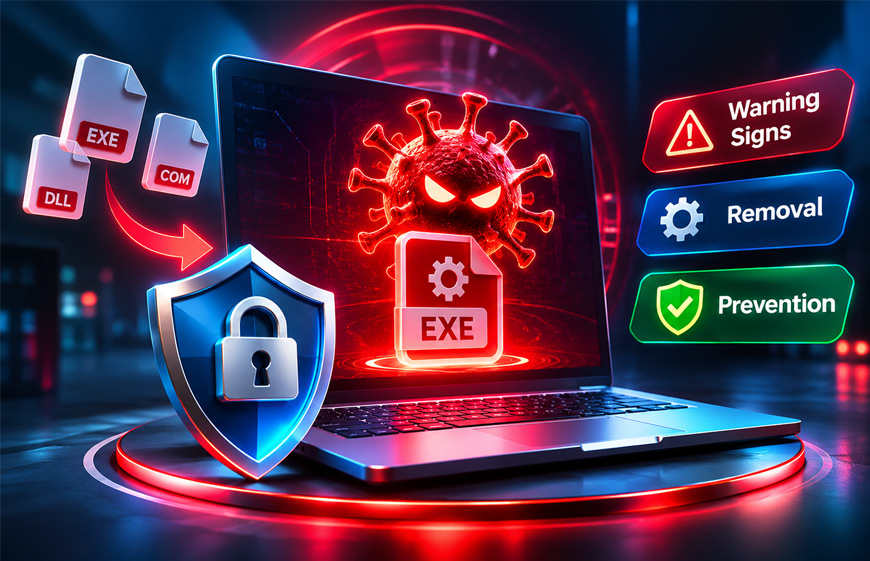
An infector virus is a type of computer virus that infects other files. It often targets program files and adds harmful code to them. When an infected program is opened, the virus can become active and spread to more files.
People may search for this topic after seeing slow computer performance, crashing programs, unusual file changes, or a virus warning. This guide explains what an infector virus is, how it works, its main types, warning signs, removal methods, and ways to prevent it.
What Is an Infector Virus?
An infector virus is harmful software that infects other files on a computer. A common type is called a file infector virus.
File infectors often target executable files. These are files used to run programs, such as .exe and .com files. Some viruses may also affect other program-related files, including .dll files.
The virus adds its own harmful code to a normal file. When the user opens that file, the virus can run along with the original program.
The program may still appear to work normally. Because of this, the user may not know that the file is infected.
The virus can then copy itself into other suitable files. One infected program can therefore lead to many infected files.
Not every type of malware works this way. Worms, Trojans, spyware, and ransomware can use different methods. A file infector virus is mainly known for infecting host files and spreading through them.
How Does an Infector Virus Work?
The exact process depends on the virus. In general, the virus first enters the computer, becomes active, infects suitable files, and then tries to spread.
Some viruses also perform other harmful actions after they become active.
Initial Entry
An infector virus must first reach the computer.
It may arrive through an infected email attachment, an unsafe download, an infected USB drive, or a harmful software installer.
Downloading cracked or modified software from unknown websites can also increase the risk.
Simply having an infected file on a computer does not always mean the virus has already spread. In many cases, the infected file must first be opened or run.
File Infection
After becoming active, the virus can change suitable program files.
It adds harmful instructions to the file so the virus can run when that program is opened again.
The normal program may continue working. This can make the infection difficult to notice.
Different viruses use different ways to change and infect files.
Activation and Replication
When an infected program is opened, the virus code can become active.
It may search the computer for other files it can infect. It may also reach shared folders or connected storage devices if it has access to them.
Each infected file can become another carrier of the virus.
This can be a bigger problem on business networks where many people use the same shared files.
Payload
The payload is the additional harmful action a virus may perform.
Some file infectors mainly spread from one file to another. Others can cause more serious problems.
Depending on the virus, it may damage files, corrupt data, affect programs, install other malware, or give someone unauthorized access to the computer.
The damage therefore depends on the specific virus.
Main Types of Infector Viruses
There are different types of file infector viruses. They can behave differently and use different ways to stay active or avoid detection.
Direct Action File Infector
A direct action file infector becomes active when an infected file is opened.
It searches for other suitable files and infects them. After finishing its work, it normally does not stay active in the computer’s memory.
For this reason, it may also be called a non-resident virus.
However, it can become active again whenever another infected file is opened.
Memory-Resident Infector
A memory-resident infector can load itself into the computer’s memory, or RAM.
It may stay active even after the original infected program has been closed.
While it is active, the virus can infect other suitable files when they are opened, copied, created, or used.
This can make the virus harder to remove. Cleaning one infected file may not be enough if the virus is still active in memory.
Sparse Infector
A sparse infector does not infect every file it finds.
Instead, it may infect only certain files or wait before infecting another file.
This can make its activity less noticeable. A virus that changes many files quickly may be easier to spot than one that acts only from time to time.
Multipartite Virus
A multipartite virus can infect a computer in more than one way.
For example, it may infect program files and also affect a boot-related part of the computer.
This can make removal more difficult. Cleaning infected program files may not completely remove the virus if another infected area remains.
Macro Viruses and File Infectors
Macro viruses are also computer viruses, but they work differently from traditional file infectors.
A file infector usually targets executable program files. A macro virus targets documents that support macros or scripts, such as certain Microsoft Word or Excel files.
A harmful macro can become active when a user opens the document and allows its code to run.
Both threats can use infected files, but they target different types of files. A macro virus should therefore not always be described as a traditional file infector virus.
How Infector Viruses Avoid Detection
Some infector viruses use methods that make them harder to find. However, not every virus uses these techniques.
Polymorphic Code
A polymorphic virus can change parts of its code when it creates new copies.
The virus still performs similar harmful actions, but each copy may look slightly different.
This can make it harder for antivirus tools that only search for one exact known pattern.
Modern security software may also look at how a program behaves instead of only checking its code.
Encrypted Malicious Code
Some viruses hide their harmful code using encryption or other forms of encoding.
The hidden code may be revealed when the malware runs.
This can make simple file scanning more difficult. However, modern security tools can also check program behavior, memory, and other signs of harmful activity.
Hiding Changes to Host Files
Some file infectors try to keep infected files looking normal.
For example, certain viruses may try to avoid obvious changes in file size.
This means a normal-looking file is not always safe. The correct file name, icon, or size does not prove that a program is clean.
Warning Signs of an Infector Virus
An infector virus may work without showing a clear warning.
Possible signs include:
- Programs crashing or refusing to open.
- A computer becoming unusually slow.
- Unexpected changes to executable files.
- File modification dates changing without a clear reason.
- Antivirus software becoming disabled or acting strangely.
- Unknown processes appearing in Task Manager.
- Unusual network activity.
These signs do not always mean a file infector virus is present.
Software problems, failed updates, hardware issues, and other types of malware can cause similar problems. A proper security scan is needed to investigate the cause.
What Damage Can an Infector Virus Cause?
The damage depends on the type of virus and its payload.
A file infector can change executable files. If those changes damage the original program, the application may crash or stop working.
The problem can become more serious if important system files are infected.
Some viruses can also damage stored data or install other malware. This may include spyware, keyloggers, or tools that allow unauthorized access.
Businesses may face a larger problem because infected files can appear in shared folders. Other computers may then be exposed if users open those files.
However, not every infector virus causes the same damage. Its effects depend on how the malware was created.
Infector Virus vs Other Malware
Viruses, worms, Trojans, and ransomware are all types of malicious software, but they do not work in exactly the same way.
Infector Virus vs Ransomware
A file infector virus is mainly known for adding its code to other files and spreading through them.
Ransomware has a different purpose. It usually blocks access to files or systems, often by encrypting data. Attackers may then demand money to restore access.
Some malware can perform several harmful actions, so these categories can sometimes overlap.
Virus vs Worm
A traditional virus usually needs another file or program as its host.
A worm can copy and spread itself between computers or networks without attaching itself to executable host files in the same way.
Both can spread, but they use different methods.
Virus vs Trojan
A Trojan is malware that pretends to be safe or useful software.
Its main method is deception. A user may install it because it looks like a normal application.
A Trojan can perform many harmful actions, but this does not automatically make it a file infector virus.
How to Detect an Infector Virus
An infected program may still work normally, so finding a file infector virus is not always easy.
Updated antivirus or endpoint security software is one of the main ways to detect it. Security tools can check files, memory, running programs, and other areas of the computer.
Traditional antivirus software often uses signatures. These are known patterns connected to previously discovered malware.
Modern security software can also use heuristic and behavior-based detection. This means it looks for unusual actions.
For example, a program that suddenly starts changing many executable files may be treated as suspicious.
Do not open a suspicious file simply to test whether it is safe. Let trusted security software examine it instead.
Businesses may also use endpoint monitoring tools to watch many computers from one place.
How to Remove an Infector Virus
Removing an infector virus should be done carefully because the virus may be attached to normal applications or important system files.
Deleting every infected file can cause more problems. Important programs or parts of the operating system may stop working.
1. Disconnect the Device
Disconnect the infected computer from the network when appropriate.
This can help stop it from reaching shared folders or other computers while the problem is being checked.
Avoid moving files from the infected device to other computers until they have been checked.
2. Use a Safe Recovery Method
Some infections are easier to remove when fewer programs are running.
Safe Mode or another trusted recovery environment may help in some cases. However, Safe Mode does not guarantee that every virus will be disabled.
Serious infections may need professional help.
3. Run Updated Security Scans
Use trusted and updated antivirus or endpoint security software.
Run a full system scan instead of checking only the first infected file.
The virus may already have infected other files on the computer.
4. Quarantine Confirmed Threats
Security software may place infected files in quarantine.
Quarantine keeps suspicious files away from normal system activity. This can be safer than immediately deleting an important file.
Follow the instructions provided by your security software. Some files may be repaired, while others may need to be replaced.
5. Check Other Devices and Shared Storage
Check USB drives, shared folders, and other computers that may have used the infected files.
Businesses may need to scan several computers if the infected device had access to shared company storage.
6. Restore Clean Files
Files that cannot be repaired may need to be replaced with clean copies.
Use a trusted backup or reinstall the affected program from an official source.
Make sure the infection has been controlled before restoring files. Otherwise, clean files may become infected again.
For serious infections, restoring the computer from a known-clean system image may be safer than repairing many files one by one.
7. Monitor the System
Continue checking the computer after cleanup.
Watch for new antivirus warnings, unusual processes, crashes, file changes, or strange network activity.
If the infection returns, another infected file or device may have been missed.
How to Prevent Infector Viruses
Good security habits can greatly reduce the risk of file infector viruses.
Use Real-Time Security Protection
Keep trusted antivirus or endpoint security software active and updated.
Real-time protection can check files when they are downloaded, opened, copied, or run.
Using software that also checks suspicious behavior can provide extra protection against new or changing malware.
Download Software From Trusted Sources
Download programs from official websites, trusted developers, or approved app stores.
Avoid unknown installers, cracked software, and modified applications from unsafe websites.
Businesses can also limit software installation to approved programs.
Keep Software Updated
Keep your operating system, browser, antivirus software, and other applications updated.
Updates often fix security problems that malware could use.
Automatic updates can help keep important security fixes installed.
Be Careful With USB Drives
Unknown USB drives may contain infected files.
Avoid using removable devices from unknown sources. Scan external storage before opening files when needed.
Businesses can also limit the use of unauthorized USB devices.
Protect Business Networks
Businesses can separate important parts of their networks.
This is called network segmentation. It can limit how easily an infected computer reaches other systems.
For example, one department may not need full access to files used by every other department.
Train Users
Users should understand common malware risks.
They should know how to recognize suspicious email attachments, unsafe downloads, unknown USB devices, and unusual computer behavior.
Possible infections should be reported quickly instead of ignored.
Backups and Recovery
Regular backups can help recover important files after a serious malware infection.
One common method is the 3-2-1 backup rule. It means keeping three copies of important data, using two different types of storage, and keeping one copy separate or offsite.
A separate backup is important because malware may also reach backups that are always connected to the infected computer.
Backups should also be tested. This makes sure the files can actually be restored when needed.
After an infection, restore data only from a backup that is believed to be clean. An infected backup could bring the malware back.
Common Mistakes to Avoid
Some mistakes can make an infection worse or allow it to return.
- Opening a suspicious file again: This may activate the virus again.
- Assuming a working program is safe: An infected program may still work normally.
- Checking only the file name or size: A normal-looking file can still contain malware.
- Using outdated antivirus software: Older protection may miss newer threats.
- Downloading replacement programs from unsafe websites: The replacement may also contain malware.
- Connecting the computer too early: Make sure the infection is controlled before reconnecting it.
- Using an unchecked backup: Make sure the backup is clean before restoring it.
- Cleaning only one infected file: Other files or devices may also be infected.
Removing one infected file does not always mean the entire computer is clean.
Bottom Line
An infector virus is a computer virus that infects other files, especially executable program files. When an infected file runs, the virus can become active and spread to other suitable files.
Some types act only when an infected program runs. Others can remain active in memory or use different methods to make detection harder.
The best protection is to use updated security software, download programs from trusted sources, install security updates, use USB drives carefully, and keep clean backups.
If an infection is found, avoid deleting important files without checking them first. Scan the full system, check other connected devices, and restore clean files when needed.
Frequently Asked Questions
What is an infector virus in simple words?
An infector virus is malware that adds harmful code to other files. When an infected file runs, the virus can become active and spread.
What files can an infector virus infect?
File infectors often target executable files such as .exe and .com. Some viruses may also affect other program-related files.
How does an infector virus spread?
It can spread through infected programs, unsafe downloads, email attachments, USB drives, and shared files.
Can an infector virus spread through email?
Yes. An infected file can arrive as an email attachment. Opening or running the harmful content may start the infection.
What are the first signs of an infector virus?
Common signs include slow performance, crashing programs, unusual file changes, unknown processes, and security software problems.
Can antivirus software remove an infector virus?
Yes, many file infector viruses can be detected and cleaned by updated antivirus software. Serious infections may require clean backups or a system restore.
Is an infector virus the same as ransomware?
No. An infector virus mainly infects and spreads through files. Ransomware mainly blocks access to data, often by encrypting it and demanding payment.
How can I prevent file infector viruses?
Use updated antivirus software, install security updates, download files from trusted sources, avoid suspicious attachments and USB drives, and keep clean backups.
Explore More:

