


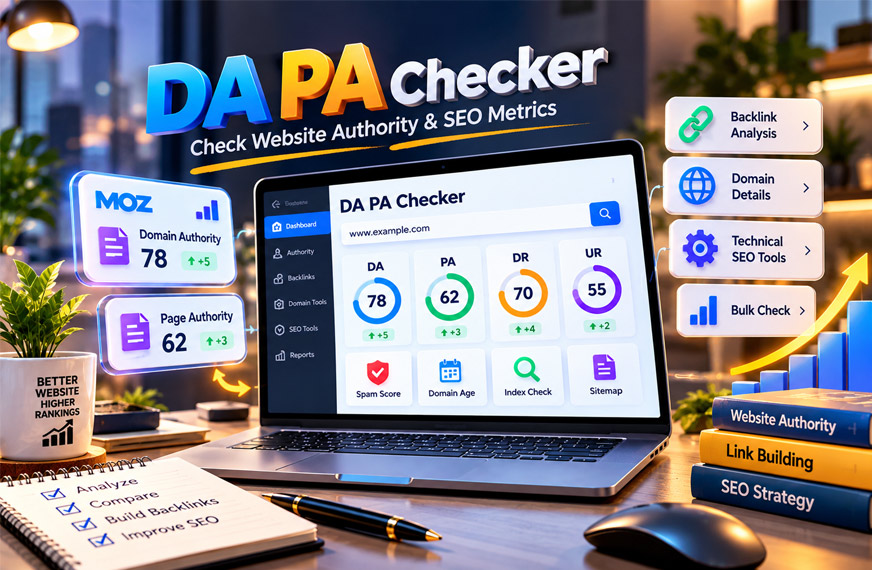
DA PA Checker is an online SEO platform for checking websites and web pages. It helps users check website authority, spam signals, domain age, and other SEO details.
The platform is useful for SEO professionals, website owners, bloggers, marketers, and link builders. It also supports bulk checking, which can save time when checking many websites.
This guide explains what DA PA Checker is, how it works, its main tools, pricing, uses, benefits, limits, and alternatives.
What Is DA PA Checker?
DA PA Checker is an online platform with different SEO tools. Its main tool checks Domain Authority (DA) and Page Authority (PA).
The platform also has tools for checking DR, UR, Spam Score, domain age, IP addresses, Google indexing, and XML sitemaps. Users can also create sitemaps and robots.txt files.
Many tools support bulk checking. This means you can check several URLs at the same time instead of checking them one by one.
Some results can also be downloaded as Excel files. This is helpful when working with large website lists.
DA PA Checker can make website research easier, but its scores should not be used alone to judge a website.
What Are DA and PA?
Domain Authority and Page Authority are SEO metrics developed by Moz. Both use scores from 1 to 100.
Domain Authority (DA) looks at the overall authority of a domain.
Page Authority (PA) looks at one specific page or URL.
A website can have high DA while a new article on that website has low PA. An older page with more backlinks may have higher PA.
DA and PA are mainly useful for comparison. For example, you can compare your website with similar competitors.
There is no single DA or PA score that is good for every website. A good score depends on the niche and the websites you are competing with.
Are DA and PA Google Ranking Factors?
No. DA and PA are not Google ranking factors.
They were created by Moz, not Google. Google does not give websites DA or PA scores.
A high DA also does not guarantee high Google rankings or more traffic. These scores are mainly based on link-related information in Moz’s system.
DA and PA are still useful for comparing websites, but they should not be confused with Google’s own ranking systems.
How Does DA PA Checker Work?
DA PA Checker takes a website or page URL and checks available SEO information about it.
Users can enter multiple URLs in the main checker. The tool processes them and shows metrics such as DA and PA. Some tools may also show Spam Score and other information.
Bulk checking is useful when you have many websites to research. Instead of checking every site separately, you can process several at once.
Some tools also let you remove duplicate URLs or domains. Available reports can be downloaded for later use.
The results are useful for research, but they should still be checked carefully. High authority does not always mean good content, real traffic, or strong backlinks.
How to Use the DA PA Checker
Using the tool is simple.
Paste the domains or page URLs you want to check. If you have several URLs, enter them one per line.
Run the checker and wait for the results. You can then review the available authority scores and download the report when that option is available.
Try to compare similar URLs. For example, compare one root domain with another root domain instead of comparing a homepage with an individual article.
For important SEO decisions, also check the website manually.
DA PA Checker’s Main Tools
DA PA Checker provides several tools for website and SEO research.
DA PA Checker
This is the main tool on the platform. It checks Domain Authority and Page Authority.
Users can check multiple URLs together. This can help with competitor research, outreach, link building, and general website analysis.
DA and PA use scores from 1 to 100. Results can also be downloaded in Excel format.
A higher score can be useful for comparison, but it does not prove that a website is high quality.
DR UR Checker
The DR UR Checker checks Domain Rating (DR) and URL Rating (UR).
DR and UR are Ahrefs metrics. They are different from Moz’s DA and PA.
DR looks at the backlink strength of a domain. UR focuses on an individual URL.
The tool supports multiple URLs and Excel downloads.
Do not compare DA and DR as if they are the same metric. A DA of 40 does not automatically mean a DR of 40.
Spam Score Checker
The Spam Score Checker helps users find possible spam-related signals.
Moz Spam Score uses a percentage from 0% to 100%. A higher score means the website shares more features with sites that Moz’s system considers spam-like.
Users can check multiple URLs. The tool may also show DA and PA with the Spam Score.
Duplicate URLs and domains can be removed, and reports can be downloaded.
A high Spam Score does not prove that Google has penalized a website. It simply means the site may need a closer review.
Domain Age Checker
The Domain Age Checker shows information about the history of a domain.
It can show when a domain was created, how old it is, and its registrar. The age may be shown in years, months, and days.
Users can check multiple domains and download the results.
Domain age can be useful when researching websites or expired domains. However, an old domain is not always a good or trusted domain.
Domain IP Lookup
Domain IP Lookup finds the IP address linked to a domain.
Users can enter one or more domains. The tool checks DNS information and returns the related IP address.
It also supports bulk checks and Excel downloads.
This can be useful for technical research and hosting checks. However, an IP address does not tell you whether a website has good SEO.
Google Index Checker
The Google Index Checker is designed to check whether a page appears to be indexed by Google.
Users can enter multiple URLs at once. Duplicate URLs or domains can also be removed.
This tool can be useful after publishing new content or when a page is not appearing in search.
A page normally needs to be indexed before it can appear in regular Google search results. However, indexing does not guarantee high rankings.
Sitemap Checker
The Sitemap Checker checks a website’s XML sitemap.
An XML sitemap contains important URLs from a website. It helps search engines discover pages.
The tool can check the sitemap status, show its pages, and provide the total number of entries.
This can be useful during a technical SEO check.
Having a URL in a sitemap does not guarantee that Google will index or rank it.
Sitemap Generator
The Sitemap Generator creates an XML sitemap for a website.
Enter a website URL and run the tool. It finds pages and creates a sitemap that can be downloaded as an XML file.
This can be helpful for people who do not want to create a sitemap manually.
It is still a good idea to check the generated sitemap before using it. Make sure important pages are included and unwanted URLs are not added.
Robots.txt Generator
The Robots.txt Generator helps users create a robots.txt file.
A robots.txt file gives instructions to web crawlers about which areas of a website they can or cannot crawl.
Users can add website information and choose directories they want to restrict. The finished file can be copied or downloaded.
Use this tool carefully. A wrong robots.txt rule may stop search engine crawlers from accessing important pages.
Backlinks Generator
The Backlinks Generator is different from the other tools. It is designed to generate multiple backlink sources for a website.
Enter a website URL and run the tool. It then displays the generated links. Users can also check DA and PA for these sources.
Do not assume every generated backlink is useful. Check the website’s topic, content, authority, traffic, and reputation first.
A high DA alone does not make a backlink valuable.
Free vs Paid DA PA Checker
DA PA Checker offers basic access for free, but there are limits.
The free option may be enough for people who only check a few websites. Users who need to process larger lists may need a paid plan.
Paid access can provide higher usage limits and other features.
The exact limits may change. Check the current plan information before upgrading.
DA PA Checker Pricing
A 2026 review reported that DA PA Checker paid plans started at $5 per month.
Yearly plans were reported to start at $36 per year. Custom plans were also reported to be available for users with different needs.
These prices can change. Check the official pricing page before buying a plan.
Also check how many URLs you can process and which features are included.
What Can You Use DA PA Checker For?
DA PA Checker can help with many common SEO tasks.
You can use it to compare competitors, check guest post websites, research backlink opportunities, and review individual pages.
Website owners can also use it to watch their authority metrics over time.
Its other tools can help with domain age, IP addresses, Google indexing, sitemaps, and robots.txt files.
Bulk checking is useful for agencies and link builders working with large website lists.
However, these tools are best used for early research. Important websites should always be reviewed manually.
How to Read DA PA Checker Results Correctly
DA PA Checker results need to be understood in the right way.
A high score does not automatically mean one website is better than another.
Compare websites in similar niches. For example, compare a local business with similar local businesses instead of comparing it with a major news website.
Also compare the same types of URLs. A root domain and an individual article are not the same thing.
DA, DR, Authority Score, and Trust Flow are different metrics. Their numbers should not be directly compared.
When checking a website for backlinks, also look at its topic, traffic, content, backlink profile, and the exact page where your link may appear.
A website with high DA can still have weak pages. A smaller website with lower DA may have a strong and relevant page.
Why Do DA and PA Scores Change?
DA and PA can go up or down over time.
A score may change when new backlinks are found or old links disappear. Changes to the websites linking to you may also affect the score.
Moz can also update its backlink database or scoring system.
Redirects and canonical URL changes may affect results too.
A drop in DA does not automatically mean Google has penalized your website.
If your Google traffic also drops, check Search Console, rankings, indexed pages, lost backlinks, and any manual action messages.
Why Do Different DA PA Checkers Show Different Scores?
Different DA PA checker tools may show different numbers.
One reason is that they may use different data sources. Moz, Ahrefs, Semrush, and Majestic all have their own databases and metrics.
Their update times are also different. One tool may find a new backlink before another tool does.
Some free tools may show older cached information.
The URL you enter can also change the result. A root domain, subdomain, HTTP URL, HTTPS URL, and individual page may return different information.
For regular tracking, use the same tool and the same URL format.
If you specifically need Moz DA or PA, confirm important results through Moz.
Why Does DA PA Checker Show 0, 1, or N/A?
Sometimes DA PA Checker may show 0, 1, or N/A.
This can happen with a new domain that has little backlink data. A new page may also have very low PA because it has few or no direct backlinks.
You may also have entered the wrong URL. The page could redirect to another address or use a different canonical URL.
Server problems, security settings, crawler blocks, broken pages, or temporary API problems can also cause missing results.
Cached information may sometimes be another reason.
Troubleshooting DA PA Checker Results
Start by checking the root domain and individual page separately.
Make sure you are using the correct HTTPS and canonical URL. Open the page to confirm that it works and check whether it redirects.
If the result still looks wrong, compare it with the original metric provider.
For a new website or page, you may need to wait for the provider to discover more backlink data.
For your own website, use Google Search Console to check real Google data such as clicks, impressions, queries, indexing, and links.
Benefits of DA PA Checker
DA PA Checker puts several SEO tools in one place.
Its main benefits include:
- Bulk website checking
- DA and PA checks
- DR and UR checks
- Spam Score checking
- Domain age information
- IP lookup
- Google index checks
- Sitemap tools
- Robots.txt creation
- Downloadable reports
- Free basic access
Bulk checking can save time when you have many websites to research.
Downloadable reports also make it easier to save and organize results.
Limitations and Things to Keep in Mind
DA PA Checker has some limits.
DA and PA are third-party metrics. They are not Google scores and cannot guarantee rankings.
High authority also does not always mean high traffic, useful content, or good backlinks.
Spam Score does not prove that a website has received a Google penalty.
Domain age also does not prove quality. An old website can still have weak or spammy content.
SEO databases may sometimes have missing or old information.
Free access also has limits. People checking many URLs may need a paid plan.
The Backlinks Generator should be used carefully. Always check generated backlink sources before using them.
How to Use DA PA Checker for Backlink Research
DA PA Checker can help you create a shortlist of backlink opportunities.
Start by checking the website’s DA, PA, Spam Score, and other available metrics.
Then visit the website yourself. Check whether its content is related to your topic and whether the site appears to have real search visibility.
Also check the exact page where your backlink may appear. A strong domain can still have a weak page.
Look at content quality, internal links, direct backlinks, and whether the page is indexed.
Also review the site’s backlink profile. Many unrelated links, repeated anchor text, or sudden backlink growth may need closer checking.
Do not choose a website only because it has high DA. Relevance and the quality of the actual page also matter.
How to Improve DA and PA
You cannot directly change your DA or PA number.
Instead, work on the signals that authority tools measure.
Create useful content that other websites may want to link to. Examples include research, statistics, calculators, templates, guides, and case studies.
Try to earn backlinks from relevant and trusted websites. Links from different useful websites can help create a stronger backlink profile.
You can also find lost backlinks. If an old page has moved, use a suitable redirect when the new page covers the same topic.
For PA, add useful internal links to important pages and try to earn backlinks directly to those pages.
Adding more words or keywords does not directly increase PA. Better content can help because other websites may be more likely to link to it.
Avoid spammy methods such as automated links, poor directories, private blog networks, hidden links, and unrelated guest posts.
DA PA Checker Alternatives
Other SEO platforms can be used instead of, or together with, DA PA Checker.
Moz Link Explorer
Moz Link Explorer is useful when you need original Moz DA and PA data.
It also provides information about backlinks, linking domains, and anchor text.
Free access has limits. Paid Moz plans provide more reports and data.
It is a useful option when you need to confirm an important DA or PA score.
MozBar
MozBar is a browser extension from Moz.
It can show DA and PA while you browse websites and search results. This makes it useful for quick competitor and outreach research.
A Moz account is required. Some advanced features may require a paid Moz plan.
Ahrefs
Ahrefs is a popular SEO and backlink analysis platform.
It uses Domain Rating (DR) and URL Rating (UR), not Moz DA and PA.
Ahrefs can help users study backlinks, referring domains, and individual pages.
It is useful for deeper backlink research, but DR should not be treated as the same metric as DA.
Semrush
Semrush uses its own Authority Score.
It also provides backlink, keyword, traffic, and other SEO information.
This can help users look at website authority together with other SEO signals.
Authority Score is different from Moz DA, so the numbers should not be directly compared.
Majestic
Majestic mainly focuses on backlink analysis.
Its well-known metrics include Trust Flow, Citation Flow, and Topical Trust Flow.
These metrics can help users study link strength and topic relevance.
Majestic’s scores are different from DA, PA, and DR.
PrePostSEO
PrePostSEO provides a Domain Authority Checker for checking multiple URLs.
Its reports may include DA, PA, Spam Score, domain age, and other information.
It can be useful for quick bulk checks and small outreach lists.
If an exact Moz score is important, confirm it through Moz.
SmallSEOTools
SmallSEOTools also provides an authority checker.
It can be useful for quick website checks without setting up a full SEO project.
Available information may include DA, PA, referring domains, and other link data.
Free limits and available features may change over time.
Bottom Line
DA PA Checker combines several website and SEO tools in one platform.
Users can check DA, PA, DR, UR, Spam Score, domain age, IP addresses, indexing, and other website information. It also provides sitemap and robots.txt tools.
Basic access is free, while paid plans are available for people who need higher limits.
DA PA Checker can be useful for SEO research, competitor analysis, and backlink research. However, its scores should only be part of your research.
Always look at relevance, real search visibility, content quality, backlinks, and the exact page before making an important SEO decision.
Frequently Asked Questions
What is DA PA Checker?
DA PA Checker is an online SEO tool. It checks DA, PA, Spam Score, domain age, and other website details.
Is DA PA Checker free?
Yes, basic use is free with some limits. Paid plans are also available.
How much does DA PA Checker cost?
A 2026 review reported plans starting at $5 monthly and $36 yearly. Prices may change over time.
Are DA and PA Google ranking factors?
No. DA and PA are Moz metrics, not official Google ranking factors.
What is the difference between DA and PA?
DA measures the authority of a whole domain. PA measures the authority of one page.
What is the difference between DA and DR?
DA is a Moz metric, while DR is an Ahrefs metric. They use different systems to measure website strength.
Why do DA PA checkers show different results?
Tools may use different data and update at different times. This can cause different scores.
Is high DA enough for a good backlink?
No. You should also check the site’s relevance, traffic, content, backlinks, and page quality.
Explore More:
AI Transformation Is a Problem of Governance Twitter: Complete Guide

