


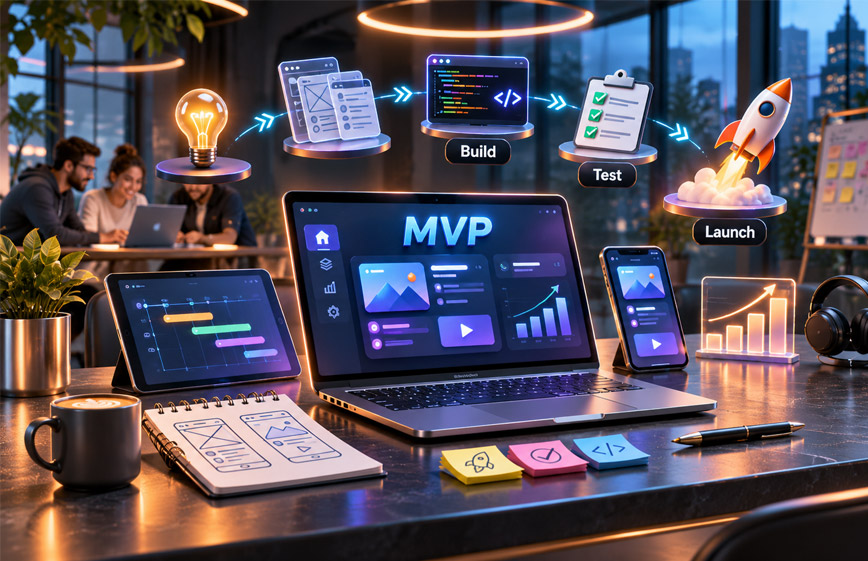
MVP development means building the first useful version of a product with only the most important features.
MVP stands for Minimum Viable Product. Businesses use it to test an idea with real users before spending more time and money on a full product.
This guide explains what MVP development is, how it works, what it costs, how long it takes, and how to build and test an MVP.
What Is MVP Development?
MVP development means building the first working version of a digital product.
It includes only the features needed to solve the main user problem.
The product should be simple but usable. Real users should be able to test it and complete its main task.
An MVP is not a broken or unfinished product.
For example, imagine a company wants to build a large booking platform.
The final product may include reviews, subscriptions, AI suggestions, advanced search, mobile apps, and analytics.
The MVP may only include user accounts, basic search, service profiles, booking requests, simple messages, and an admin panel.
The goal is not to build everything.
The goal is to test the main idea first.
MVP development also follows the idea of build, measure, and learn.
The team builds a small product, sees how people use it, and then decides what to improve.
Why Do Businesses Build an MVP?
Building a full product can take a lot of time and money.
The problem is that a business may build many features before knowing if people actually want the product.
An MVP helps reduce this risk.
Test the Main Idea
An MVP lets real users try the product.
This gives businesses better information than simply asking people if they like the idea.
Real use shows whether the product actually solves a useful problem.
Reduce Unnecessary Development
A full product may have many planned features.
Some features may be useful later, but they may not be needed at the start.
An MVP helps teams focus only on the most important features.
This can save time and development costs.
Get Real User Feedback
Real users can find problems that the product team may miss.
They may find a confusing page, a missing step, or a feature that is not useful.
This feedback can help the team improve the product before building more features.
Build a Better Product Roadmap
After launch, businesses can use real data instead of guesses.
They can see what users like, what they ignore, and where they have problems.
This helps the team decide what to build next.
An MVP can also show when an idea needs to change or when it may not be worth further investment.
MVP vs Prototype vs POC
MVP, prototype, and POC are different.
MVP
An MVP is a working product.
Real users can use it to solve a problem.
The business uses it to test demand and collect feedback.
Prototype
A prototype shows how a product may look or work.
It may be clickable, but it may not have real working features.
It is mainly used to test design and user flow.
Proof of Concept
POC means Proof of Concept.
It is used to test whether a technical idea is possible.
A POC is usually used inside the company and may not be shown to customers.
| Type | Main Purpose | Real Users | Working Product |
|---|---|---|---|
| MVP | Test the product idea | Usually yes | Yes |
| Prototype | Test design and flow | Sometimes | Not always |
| POC | Test technical possibility | Usually no | Limited |
What Should an MVP Include?
There is no fixed feature list for every MVP.
The right features depend on the product, users, main problem, and business model.
Start by understanding the main user journey.
Ask:
- Who will use the product?
- What problem do they have?
- What main task do they need to complete?
- Which features are needed for that task?
- Which features can wait?
For example, a booking platform may need this main flow:
Search → Choose Service → Select Time → Book → Receive Confirmation
The MVP should make this flow work well.
Extra features such as loyalty programs or advanced suggestions can be added later.
Some supporting features may still be needed.
These can include sign-up, payments, notifications, or an admin panel.
Each feature should support the main purpose of the product.
How to Choose MVP Features
Choosing the right features is very important.
Too many features can quickly turn a small MVP into a large project.
One useful method is called MoSCoW.
Must Have
These features are needed for the product to work.
Without them, users cannot complete the main task.
Should Have
These features are useful, but the first version can still work without them.
They can be added later.
Could Have
These are extra features.
They may improve the product but are not needed at launch.
Won’t Have for Now
These features are saved for future versions.
They may still be good ideas, but they are not needed now.
The main goal is to keep one core user flow working well.
This helps control time, cost, and project size.
MVP Development Process
MVP development starts before coding.
It includes research, planning, design, development, testing, launch, and improvement.
1. Define the Problem
Start with the problem.
Do not start with technology.
Ask what problem users have, who has it, and how they solve it now.
A simple problem statement can help.
For example:
We help small businesses manage bookings without calls and spreadsheets.
A clear problem makes the rest of the project easier.
2. Research Target Users
Learn about the people who may use the product.
Understand their needs, habits, problems, and current solutions.
One source suggests speaking with around 20–30 possible users before development.
This is only a useful example, not a fixed rule.
The main goal is to listen and understand.
3. Study Competitors
Check what similar products already exist.
Look at what they do well and where users still have problems.
You may find a chance to make something simpler, faster, cheaper, or better for a certain group.
Competition can also show that people already care about the problem.
4. Define the MVP Scope
Choose the features needed for the first version.
Each feature should help users complete the main task.
Other ideas can be saved for later.
This helps avoid scope creep, which happens when too many new features are added during development.
5. Design the User Experience
An MVP should still be easy to use.
The team can start with wireframes.
Wireframes show the basic layout of each screen.
After that, a clickable prototype can help test the user flow.
One source suggests testing the prototype with around 5–10 users.
Again, this is only a useful example.
6. Choose the Technology Stack
Choose technology after the product needs are clear.
The main goal is to build something reliable and easy to improve.
Do not add unnecessary technical complexity too early.
The right tools depend on the product, platform, team, and future plans.
7. Build the MVP
Development starts after the scope and design are ready.
Many teams use short development stages called sprints.
The team builds the main feature first and then adds the support features that are really needed.
New ideas should usually be saved for future versions.
8. Test the Product
An MVP should be tested before launch.
Testing may include:
- Main features
- User experience
- Browsers
- Devices
- Mobile layout
- Performance
- Integrations
- Basic security
The goal is to release a working and reliable product.
9. Launch the MVP
After testing, the MVP can be released to real users.
It does not need a huge audience.
A small group of the right users can provide useful feedback.
The product should also have analytics and a simple way for users to share feedback.
10. Measure and Improve
After launch, look at how users behave.
Ask:
- Do they complete the main task?
- Where do they leave?
- Which features do they use?
- Do they return?
- Are they willing to pay?
- What problems do they mention?
The answers help the team decide what to improve next.
A Simple 90-Day MVP Development Plan
One source gives a 90-day MVP plan.
This is only an example. Some products may take less time, while others may take longer.
Days 1–15: Validation
Understand the problem.
Talk to possible users.
Study competitors.
Choose one clear success goal.
Days 16–25: Feature Planning
List all possible features.
Choose only the features needed for the first version.
Move extra ideas to a future list.
Days 26–40: Design
Create the main user flow.
Build wireframes and a clickable prototype.
Test the design before development starts.
Days 41–45: Technology Planning
Choose the technology stack.
Plan the product structure and development sprints.
Days 46–80: Development and Testing
Build the main product flow first.
Add only the required support features.
Test the product on devices and browsers.
Check performance and basic security.
Days 81–90: Launch
Prepare hosting or app store submission.
Set up analytics and crash reporting.
Create feedback channels.
Launch the MVP and start tracking user behaviour.
A 90-day plan can work for a focused MVP, but it is not a guaranteed timeline.
MVP Technology Stack and Tools
The right technology depends on the product.
There is no single best stack for every MVP.
Web Development
Common options include:
- React
- Next.js
- Node.js
- Django
The best choice depends on the project and development team.
Mobile Development
Common mobile options include:
- Flutter
- React Native
These tools can be used to build Android and iOS apps from a shared codebase.
This can make early mobile development easier.
Databases
Common examples include:
- PostgreSQL
- MongoDB
The right database depends on what information the product needs to store.
Cloud and Hosting
Common options include:
- AWS
- Google Cloud
- Vercel
- Firebase
Some services offer more control, while others make early setup easier.
Common Integrations
Teams can use existing services instead of building everything themselves.
Examples include:
- Stripe or Razorpay for payments
- Auth0 or Firebase for login
- Twilio for OTP
- Mixpanel or Google Analytics for analytics
These services can help reduce development time.
Design Tools
Figma is commonly used for wireframes and clickable designs.
It helps teams plan screens before development starts.
No-Code Options
Some simple MVPs can be built with no-code tools.
Examples include:
- Bubble
- Webflow
No-code tools may work well for simple ideas and early testing.
Custom development may be better when the product needs complex features, special integrations, stronger performance, or full code control.
Web MVP vs Mobile MVP
A web MVP runs in a browser.
It can be a good choice for dashboards, SaaS tools, booking platforms, marketplaces, and many business products.
Web products can also be easier to update because users do not need to install a new app version.
A mobile MVP may be better when the product needs phone features such as:
- GPS
- Camera
- Push notifications
- On-the-go use
Flutter and React Native can help teams build apps for both Android and iOS.
The choice should depend on where and how users will use the product.
How Much Does MVP Development Cost?
There is no fixed price for MVP development.
The cost depends on the product and project needs.
Important cost factors include:
- Number of features
- Product complexity
- UI/UX design
- Web or mobile platform
- Integrations
- User roles
- Security needs
- Testing
- Development team
- Team location
A simple web tool may cost much less than a marketplace, SaaS platform, mobile app, or financial product.
The team type also affects cost.
A freelancer may be cheaper for a small project.
An agency may include designers, developers, testers, and project managers.
An in-house team gives more control but also brings long-term costs such as salaries.
There may also be ongoing costs.
These can include:
- Hosting
- APIs
- App store fees
- Payment tools
- Analytics
- Email services
It is better to ask for a feature-by-feature estimate.
Milestone-based payments can also make costs easier to manage.
Businesses should also confirm who owns the source code after the project is completed.
The best way to control MVP cost is to keep the first version small and focused.
How Long Does MVP Development Take?
MVP development time depends on the product.
One source suggests that around 60 to 90 days can be realistic for a focused MVP.
This is only an estimate.
The full timeline may include:
- Research
- User research
- Feature planning
- UI/UX design
- Development
- Testing
- Deployment
- Launch preparation
More complex products can take longer.
Extra time may be needed for:
- Multiple user roles
- Mobile apps
- Complex integrations
- Strong security
- Large databases
- Special legal or compliance needs
A team should define the product scope before giving a final timeline.
How to Test an MVP Before Launch
Testing helps make sure the product works properly.
Functional Testing
Check whether the main features work correctly.
For example, a booking product should let users search, choose a service, make a booking, and get confirmation.
Usability Testing
Check whether people can understand and use the product easily.
A feature may work but still be confusing.
Device and Browser Testing
Web products should be tested on common browsers and screen sizes.
Mobile apps should be tested on suitable Android and iOS devices.
Performance Testing
The product should work well for the expected number of early users.
It does not need to support millions of users from the start.
Security Testing
Basic security should also be checked.
This can include secure APIs, data protection, and safe login systems.
Third-party tools such as payments, login, email, OTP, and analytics should also be tested.
The goal is to release a stable first version.
How to Launch an MVP
An MVP launch should focus on learning.
You do not always need thousands of users.
A smaller group of the right users can give better early feedback.
For a web MVP, the team may need:
- Domain
- Hosting
- SSL
- Analytics
- Support email
For a mobile app, app store submission may also be needed.
Analytics and crash reporting should be ready before launch.
A feedback option should also be available.
Early users may come from:
- Research interviews
- Waiting lists
- Existing customers
- Niche groups
- Product testers
Simple onboarding can also help new users understand the product.
Launch is not the end of MVP development.
It is the start of learning from real users.
How to Measure MVP Success
An MVP should have a clear goal.
Without a goal, it is hard to know if the product is working.
Useful metrics may include:
- Sign-ups
- Activation rate
- Completed actions
- Retention
- Bookings
- Purchases
- Paid users
- Feature use
- User feedback
Activation rate shows how many users complete the main action.
Retention shows whether users come back.
Direct feedback is also important.
Repeated comments can show where users are confused or what they need next.
The best metric depends on the main question the MVP was built to test.
Benefits of MVP Development
MVP development has several benefits.
Tests the Product Idea
Real users can test the product.
This helps the business understand if the idea is useful.
Reduces Unnecessary Development
The team builds only the features needed at the start.
This can save time and money.
Provides Real User Feedback
Users can show what works, what is confusing, and what is missing.
Supports Better Planning
The team can make future decisions using real data.
Can Lower Early Risk
A smaller first product can help test important ideas before a bigger investment.
Helps Find Problems Early
Usability, workflow, design, or pricing problems may appear before the product grows.
An MVP does not remove all risk, but it can help businesses learn earlier.
Limitations of MVP Development
An MVP also has limits.
The first version may not have every feature users want.
Some users may leave because important features are planned for later.
A small test group may also not represent the full market.
Cutting too many features can create another problem.
If the MVP is too limited, users may not understand its real value.
Poor design can also give the wrong result.
A rushed product may have security, quality, or performance problems.
An MVP also does not guarantee business success.
It is a way to test and learn.
Common MVP Development Mistakes
Building Too Many Features
Adding too many features can increase cost and delay launch.
Keep extra ideas for future versions.
Ignoring User Research
Do not build only from your own assumptions.
Talk to real target users before development.
Poor User Experience
An MVP should still be easy to understand and use.
Fewer features should not mean poor design.
No Clear Learning Goal
Know what you want to test.
For example:
- Will users complete the main action?
- Will they return?
- Will they pay?
A clear goal makes results easier to understand.
Treating Every Request as a Feature
Not every user request needs to become a feature.
Look for repeated feedback and common problems.
Choosing Technology Too Early
Choose technology after understanding the product.
Do not choose a framework only because your team likes it.
Adding Features During Development
New ideas can quickly make the project larger.
Save most new ideas for future versions.
Rushing Testing
The MVP should still work properly.
Poor testing can create bugs and give you bad feedback.
MVP vs Full Product Development
The main difference is purpose and size.
An MVP tests the main idea with fewer features.
A full product supports more users, features, and business needs.
| MVP Development | Full Product Development |
|---|---|
| Fewer features | More features |
| Tests the main idea | Supports full business needs |
| Focuses on early users | Supports a larger audience |
| Built for learning | Built for long-term growth |
| Smaller scope | Larger scope |
An MVP should still be built properly.
It should have enough technical quality to support future development.
When Should You Skip an MVP?
An MVP is not right for every product.
A more complete first version may be needed when:
- Laws require certain features
- Safety is very important
- Strong security is required
- The product needs many connected systems
- It is replacing an important business system
- Strong research has already confirmed the main idea
The decision should depend on the product and its risks.
How to Choose an MVP Development Company
Choose a company that understands both development and product planning.
Check its previous projects.
Look for experience with similar products.
Ask how the company handles:
- Product planning
- UI/UX design
- Development
- Testing
- Communication
- Launch
- Support
Ask how often you will see working versions.
Regular sprint demos can help you understand progress.
Pricing should also be clear.
Ask about:
- Project scope
- Development milestones
- Testing
- Payments
- Source code ownership
- Third-party costs
- Support after launch
Be careful if a company agrees to every feature without asking if it is really needed.
A good MVP project should stay focused.
Bottom Line
MVP development means building the smallest useful version of a product.
The main goal is to test the idea with real users before making a larger investment.
The process includes research, planning, design, development, testing, launch, and improvement.
Cost and timeline depend on the product.
A simple web MVP may take less work than a complex mobile app with payments and many user roles.
The best approach is simple: solve one real problem, launch to real users, collect feedback, and improve from what you learn.
Frequently Asked Questions
What does MVP development mean?
MVP development means building the first useful version of a product with only the most important features.
How long does MVP development take?
A focused MVP may take around 60 to 90 days. More complex products can take longer.
How much does MVP development cost?
There is no fixed price. Cost depends on features, platform, design, integrations, security, testing, and the team.
What is the difference between an MVP and a prototype?
A prototype shows how a product may look or work. An MVP is a working product that real users can use.
What features should an MVP include?
It should include only the features needed to solve the main user problem and complete the core task.
Can I build an MVP without coding?
Yes. Tools like Bubble and Webflow may work for simple MVPs. Complex products may need custom development.
Should an MVP be a web app or mobile app?
It depends on how users will use the product. Web works well for browser use, while mobile may be better for GPS, camera, or push notifications.
Can an MVP become a full product?
Yes. An MVP can grow into a full product as the business learns from users and adds useful features.
Explore More:

