


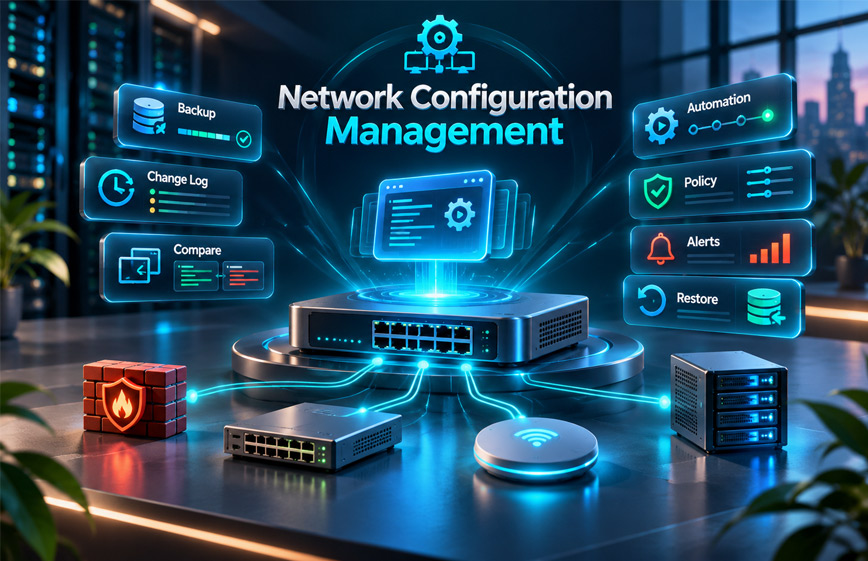
Network Configuration Management, or NCM, is the process of managing the settings of network devices.
It helps IT teams save settings, track changes, find problems, and restore working configurations when something goes wrong.
Businesses use NCM for devices such as routers, switches, firewalls, and wireless access points.
This guide explains what Network Configuration Management is, how it works, its main features, benefits, tools, challenges, security, and best practices.
What Is Network Configuration Management?
Network Configuration Management is the process of checking, saving, and controlling network device settings.
These devices may include routers, switches, firewalls, and wireless access points.
Every network device has settings that control how it works.
For example, a router uses settings to decide where network traffic should go.
A firewall uses rules to allow or block traffic.
If these settings are wrong, the network may become slow, unsafe, or stop working.
NCM helps IT teams manage these settings in a clear way.
It can help them:
- Save device settings
- Find changes
- Compare old and new settings
- Restore working settings
- Keep devices using approved configurations
NCM becomes more useful as a network grows.
How Does Network Configuration Management Work?
NCM usually starts by finding the devices connected to the network.
The IT team then collects and saves the current settings of each device.
A simple process may include:
- Find network devices.
- Collect their current settings.
- Save a backup.
- Create an approved setup.
- Check for future changes.
- Record changes.
- Review important changes.
- Restore an older setup if needed.
Some NCM tools can check devices automatically.
If a firewall rule, router setting, or switch setting changes, the tool may record it and send an alert.
The IT team can then check if the change was planned and safe.
If the change causes a problem, the team can compare it with an older working version and restore the correct settings.
What Is a Configuration Baseline?
A configuration baseline is an approved version of a device’s settings.
It shows how the device should normally be set up.
IT teams can use it as a reference.
Later, they can compare the current settings with the baseline.
This can help find:
- Wrong settings
- Unexpected changes
- Unauthorized changes
- Configuration drift
A baseline can also help return a device to a known working setup.
What Is Configuration Drift?
Configuration drift happens when the current settings of a device become different from the approved settings.
This may happen when staff make manual changes but do not update the saved records.
Over time, different devices may end up with different settings.
This can make troubleshooting harder.
It may also create security or reliability problems.
NCM can help find configuration drift by comparing current settings with approved versions.
Main Features of Network Configuration Management
Network Configuration Management tools can include several useful features.
The exact features depend on the tool.
Configuration Backup
Configuration backup saves copies of network device settings.
Backups can be created on a regular schedule.
For example, a company may save settings every night.
A backup can also be created before a major change.
If a setting is deleted or changed by mistake, the backup may help restore the device.
Backups can also help if a device fails or needs to be replaced.
Change Tracking
Change tracking records changes made to network settings.
It helps IT teams see how a device has changed over time.
Some tools may show:
- Old setting
- New setting
- Time of change
- Device that changed
This is useful when a network problem starts after a recent update.
The team can check what changed and see if it caused the problem.
Configuration Comparison
Some NCM tools can compare two saved configurations.
They may show the exact settings that are different.
This can save time.
Instead of checking the full configuration, IT staff can focus on the changed parts.
Alerts
Many NCM tools can send alerts.
An alert may tell the IT team that a device setting has changed.
This helps staff notice unexpected changes quickly.
Alerts may also be used when:
- A backup fails
- A device no longer follows approved settings
- An unusual change happens
The exact alerts depend on the tool.
Automation
NCM can automate repeated tasks.
For example, a tool may automatically:
- Back up settings
- Check configurations
- Find changes
- Create reports
- Run scheduled tasks
This can save time, especially on large networks.
Without automation, IT workers may need to check each device by hand.
Policy Checks
Some NCM tools can check whether network settings follow company rules.
This can help keep similar devices using the same approved settings.
For example, a company may want certain security settings to stay active on all devices.
If a device does not follow the rule, the tool may show it in a report.
Configuration Restore
Configuration restore lets an IT team return a device to an older working setup.
This is useful when a recent change causes a problem.
Instead of rebuilding the setup from the beginning, the team may restore a saved version.
This can help reduce recovery time.
What Devices Can Network Configuration Management Manage?
NCM can work with different types of network equipment.
Common examples include:
- Routers
- Switches
- Firewalls
- Wireless access points
Routers move data between networks.
Switches connect devices inside a local network.
Firewalls allow or block network traffic.
Wireless access points let phones and laptops connect through Wi-Fi.
Not every NCM tool supports every device.
Some tools work with many brands.
Others support fewer products.
Before choosing a tool, IT teams should check if it supports their device models and software versions.
Why Is Network Configuration Management Important?
Modern businesses may use many network devices.
Every device needs the right settings to work properly.
One wrong setting can affect employees, systems, or services.
NCM helps reduce this risk by giving IT teams better control over device settings.
It also helps them understand what changed when a problem starts.
This makes NCM useful for security, troubleshooting, and network reliability.
Benefits of Network Configuration Management
Network Configuration Management can provide several useful benefits.
Improves Network Security
Network devices control how data moves through a business network.
A wrong firewall rule or access setting can create a security problem.
NCM helps teams find unexpected changes.
If a bad setting is found, the team can review it and restore the approved setup.
NCM does not stop every cyberattack.
It mainly helps reduce risks caused by wrong or uncontrolled settings.
Reduces Network Downtime
Network downtime happens when a network or service stops working.
Wrong settings can sometimes cause this.
NCM keeps older configuration versions.
This helps teams compare the current setup with a working one.
If a recent change caused the problem, the team may be able to restore the older settings.
This can help the network return to normal faster.
Saves Time for IT Teams
Managing each device by hand can take a lot of time.
This becomes harder when a company has many devices.
NCM tools can automate tasks such as:
- Backups
- Change checks
- Reports
IT staff still need to review important changes, but they can spend less time on repeated work.
Helps Prevent Human Errors
People can make mistakes when changing network settings.
For example, someone may enter the wrong address or remove an important rule.
Even a small mistake can affect the network.
NCM can reduce this risk by using:
- Backups
- Approved settings
- Change reviews
- Testing
If something goes wrong, a saved configuration may help restore the correct setup.
Supports Business Growth
As a company grows, its network may also become larger.
It may add:
- More employees
- More offices
- More servers
- More routers
- More switches
- More internet connections
Managing all these devices by hand can become difficult.
NCM helps teams keep approved settings across more devices and track changes.
This makes a growing network easier to manage.
Makes Troubleshooting Easier
NCM keeps a history of configuration changes.
When a problem starts, the IT team can check what changed before it happened.
They can compare the current setup with an older working version.
This can make it easier to find the cause.
Instead of checking every setting, the team can focus on recent changes.
A Simple Network Configuration Management Example
Imagine a company with 100 workers.
The workers use the network for email, files, servers, and online services.
One day, an IT worker changes a setting on a network switch.
After the change, some workers cannot connect to the company server.
Without a configuration history, finding the problem may take time.
With NCM, the IT team can compare the new settings with the last working version.
The team may quickly find the changed setting.
It can then correct the setting or restore the older working version.
This shows how backups and change tracking can make network problems easier to fix.
Network Configuration Management vs Network Monitoring
Network Configuration Management and network monitoring are related, but they do different jobs.
NCM focuses on device settings.
It helps manage:
- Backups
- Setting changes
- Approved baselines
- Version history
- Configuration restore
Network monitoring focuses more on network health and performance.
It may check:
- Device status
- Network traffic
- Connection speed
- Availability
- Failed links
- Response time
For example, network monitoring may show that a network link has failed.
NCM may then help find a recent setting change that caused the problem.
Using both gives IT teams a better view of the network.
Popular Network Configuration Management Tools
There are different NCM tools available.
They may have different features, pricing, and device support.
SolarWinds Network Configuration Manager
SolarWinds Network Configuration Manager is a commercial NCM tool.
It can help with:
- Configuration backups
- Change tracking
- Reports
- Policy checks
It is used to manage supported network devices from one place.
Current pricing and exact device support should be checked directly with the vendor.
ManageEngine Network Configuration Manager
ManageEngine Network Configuration Manager is another commercial option.
It can help teams:
- Save configurations
- Review changes
- Manage network devices
It can be useful for businesses that want one place to manage network settings.
Exact features may depend on the version or license.
Oxidized
Oxidized is an open-source option.
It can collect and save configurations from supported network devices.
It may suit teams that prefer open-source tools.
Users should still check device support before using it.
How to Choose a Network Configuration Management Tool
The right NCM tool depends on the network.
The first thing to check is device support.
The tool should work with the routers, switches, firewalls, and other devices already in use.
It is also useful to check:
- Device models
- Software versions
- Backup features
- Change tracking
- Alerts
- Automation
- Reports
- Policy checks
- Security
- Ease of use
- Cost
Some tools are simple but offer fewer features.
Others have more advanced options but may need more setup and training.
It is a good idea to test the tool with a few devices first.
This helps confirm that backups, alerts, and change tracking work properly.
Common Challenges in Network Configuration Management
NCM can make network management easier, but it also has some challenges.
Different Device Vendors
A network may use devices from different brands.
Each vendor may use different commands and settings.
This can make automation harder.
The NCM tool should support the main vendors used in the network.
Older Devices
Older routers, switches, or firewalls may not work with modern NCM tools.
Before choosing a tool, teams should check support for older hardware.
If a device is not supported, it may need manual management.
Configuration Drift
Configuration drift happens when current settings no longer match approved settings.
This may happen when changes are made without proper records.
Regular checks can help find drift early.
Staff Training
An NCM system may take time to learn.
Staff may need training on:
- Backups
- Alerts
- Reports
- Rollback
- Change approval
- Automation
Starting with a small number of devices can make learning easier.
Automation Setup
Automation can save time, but it needs careful setup.
A wrong automated change can affect many devices.
For this reason, automation should be tested on a small group first.
Keeping Records Current
Backups and baselines are only useful if they are current.
If changes are made without updating records, saved settings may no longer match the real network.
Regular reviews help keep records useful.
Network Configuration Management Security
Network configuration files may contain sensitive information.
This can include:
- Passwords
- Access details
- Network addresses
- Security rules
- Authentication information
Because of this, backups should be stored safely.
Access should be limited to trusted staff.
Teams should also track who changed a configuration and when.
Unexpected changes should be reviewed quickly.
NCM can improve security by helping teams find bad settings and restore approved ones.
However, it does not replace other security tools.
Businesses still need firewalls, monitoring, access controls, and other cybersecurity protection.
Best Practices for Network Configuration Management
Good NCM depends on clear rules and regular checks.
Keep a Device Inventory
Keep a current list of network devices.
This may include routers, switches, firewalls, and wireless access points.
Create Approved Baselines
Keep an approved working setup for important devices.
This gives teams a clear version to compare against.
Back Up Configurations Regularly
Save device settings on a regular schedule.
Also create a backup before major changes.
Test Important Changes
Test changes before using them across many devices.
A small test group can help find problems early.
Use Change Approval
Important changes should be reviewed before they are applied.
This can reduce mistakes.
Limit Access
Only trusted users should be able to change network settings.
This helps prevent accidental or unauthorized changes.
Track Changes
Keep a record of:
- Who made the change
- What changed
- When it changed
This can help with troubleshooting.
Review Alerts and Reports
Check NCM alerts regularly.
Unexpected changes should be reviewed quickly.
Reports can also help find repeated problems.
Protect Configuration Backups
Store backups securely.
If they contain passwords or other private information, access should be limited.
How to Get Started with Network Configuration Management
A business does not need to manage every device at once.
It can start with the most important devices.
A simple process is:
- Make a list of important devices.
- Start with routers, switches, and firewalls.
- Save their current settings.
- Review the settings.
- Create approved baselines.
- Choose a tool that supports the devices.
- Test it with a few devices.
- Set up backups, alerts, and change tracking.
- Add more devices later.
- Review the system regularly.
Starting small can make NCM easier to manage.
Who Should Use Network Configuration Management?
NCM is mainly useful for people who manage network devices.
Common users include:
- Network administrators
- IT teams
- System administrators
- Network engineers
- Businesses with growing networks
It becomes more useful when a network has many devices.
Small businesses may not need a complex NCM system.
However, even a small network can benefit from backups and change records.
Drawbacks and Limitations
NCM has many benefits, but it also has some limits.
Setup can take time.
Teams may need to add devices, create baselines, set up backups, and test automation.
Staff may also need training.
Device support can be another issue.
Older or unusual hardware may not work with every tool.
Automation also needs care.
A wrong automated change can affect many devices.
Commercial tools may also have software or license costs.
NCM does not replace network monitoring.
It also does not replace a full cybersecurity system.
Bottom Line
Network Configuration Management helps IT teams manage and protect network device settings.
It can save configurations, track changes, compare versions, send alerts, automate tasks, and restore older working settings.
This can help reduce downtime, improve security, prevent mistakes, and make troubleshooting easier.
NCM becomes more useful as a network grows.
The best results come from regular backups, approved settings, secure access, careful automation, and the right tool.
Frequently Asked Questions
What is Network Configuration Management?
It is the process of saving, checking, and controlling the settings of network devices.
How does Network Configuration Management work?
It saves device settings, tracks changes, and helps restore old settings if something goes wrong.
What is a network configuration baseline?
It is an approved setup used to compare current settings and find changes.
What is configuration drift?
It happens when current device settings become different from the approved settings.
What devices can NCM manage?
It can manage supported routers, switches, firewalls, wireless access points, and other network devices.
What is the difference between NCM and network monitoring?
NCM manages device settings. Network monitoring checks network health, traffic, and performance.
Can Network Configuration Management reduce downtime?
Yes. It can help teams find bad changes and restore working settings faster.
What are common Network Configuration Management tools?
Common tools include SolarWinds NCM, ManageEngine NCM, and Oxidized.
Explore More:
TechTrendery.com Review: Content, Features, Safety, and Privacy

