


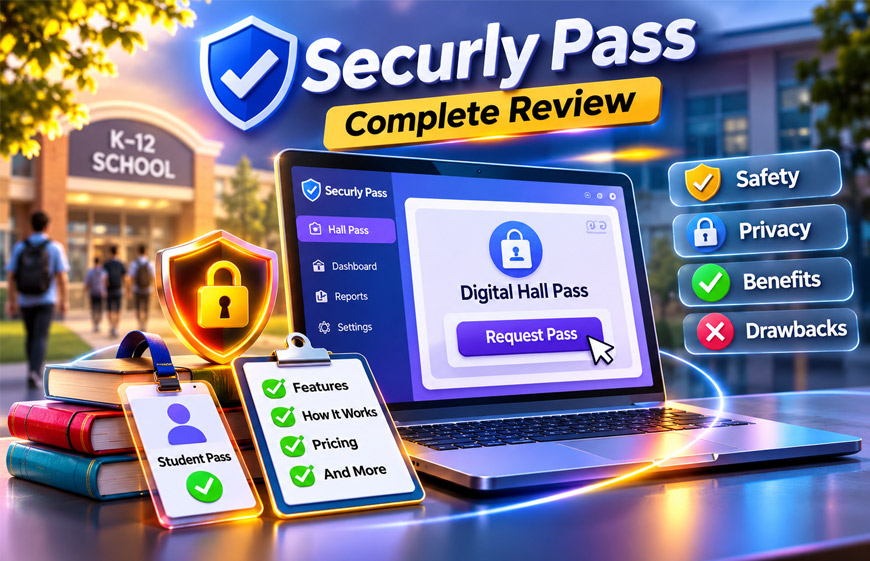
Securly Pass is a digital hall pass system for K–12 schools. It helps schools manage students when they leave class. It was previously known as E-HallPass.
Students, parents, and teachers may want to know how Securly Pass works and what information it records. There are also questions about safety, privacy, and student tracking.
This review explains how Securly Pass works, its main features, benefits, drawbacks, privacy, pricing, and other useful details.
What Is Securly Pass?
Securly Pass is an online system that replaces paper hall passes. Instead of carrying a paper slip or physical pass, students can request a pass on a digital device.
For example, a student may need to visit the restroom, nurse, counselor, or library. The student chooses the place and sends a request. The teacher can then approve or deny it.
When the pass starts, the system records it. Staff can see who has an active pass, where the student is allowed to go, and how long the pass has been active.
Securly Pass is mainly used in K–12 schools. Teachers manage pass requests, while office staff and administrators can view wider school activity and reports.
Securly Pass was previously called E-HallPass. The information we reviewed also reports that E-HallPass was developed by Eduspire Solutions and launched in May 2019. These historical details should be checked with current official information before being treated as confirmed.
How Does Securly Pass Work?
Securly Pass follows a simple process. A student asks for a pass, the teacher handles the request, and the system records the pass until it ends.
Schools can create their own rules. They can decide where students can go, when they can request passes, and how long passes can stay active.
Student Pass Requests
Students sign in with their school account and choose a place they need to visit. This may be a restroom, library, nurse, counselor, or school office.
The student sends the request to the teacher. This can be quicker than asking the teacher to write a paper pass.
Schools can control which places are available. They can also stop students from requesting passes during certain times.
Teacher Approval
The teacher receives the request and can approve or deny it.
Teachers can also make a pass for a student. This is called a proxy pass. It can be useful when a student does not have a device or has a planned meeting.
The information we reviewed also mentions scheduled passes and an auto-pass option. Auto-pass may allow some students to start a pass without waiting for teacher approval. Available options can depend on the school’s settings.
Active Pass and Timer
When a pass starts, the system begins recording its activity.
Staff can see the approved destination and how long the pass has been active. Schools can also set time limits for different passes.
This can help teachers notice when a student has been out of class longer than expected.
The timer does not mean the system knows the student’s exact location. It only records information linked to the approved pass.
Return and Pass History
When the student returns, the pass can be closed. A pass may also expire based on the school’s settings.
The system keeps timestamps for the pass. This can show when it started, where the student was allowed to go, and when it ended.
Authorized staff can later review these records when needed.
Main Features of Securly Pass
Securly Pass includes several tools for managing student hall passes and movement around school.
Real-Time Dashboard
The dashboard shows active passes.
Authorized staff can see which students are out of class, their approved destinations, and how long their passes have been active.
This gives teachers, office staff, and administrators a clearer view of hallway activity.
Proxy Passes and Kiosks
Students do not always need their own devices.
Teachers can make proxy passes for students. Schools can also place shared kiosks in areas such as cafeterias, gyms, or other common spaces.
Students can use these shared devices to manage a pass instead of using their own phone, tablet, or laptop.
Pass Limits and Restrictions
Schools can set rules for pass use.
For example, they may limit how many passes a student can use each day. Schools may also set time limits or stop students from requesting passes during certain parts of a class.
These rules can help reduce unnecessary trips outside the classroom.
Contact Control
The information reviewed describes a feature called contact control.
It may allow a school to stop selected students from having active passes at the same time.
For example, staff may use it when two students need to be kept apart because of a conflict or safety issue.
Location Capacity Limits
Schools may be able to limit how many students can visit one place at the same time.
For example, a school could limit the number of students allowed to have active passes for a restroom.
This may help reduce crowding in busy areas.
Reports and Analytics
Securly Pass records pass activity. Administrators can use this information to find patterns.
Reports may show busy times, popular destinations, students who often request passes, and how long students usually stay outside class.
Schools can use this information to decide if their current rules need to change.
Devices, Browser Access, and Integrations
Securly Pass is a cloud-based system. This means it works online and needs an internet connection.
Students and staff can use web-connected devices. Depending on the school’s rules, this may include computers, laptops, tablets, phones, or shared kiosks.
Students do not always need their own phones. Schools can provide devices or kiosks, and teachers can use proxy passes when needed.
A mobile app has also been reported. App features and device support can change, so schools should check the latest information before using it.
Securly Classroom Integration
Securly Classroom is another Securly product. It helps teachers manage student devices during lessons.
Securly Pass can work with Securly Classroom. Teachers may be able to handle hall pass requests from the same system they already use for classroom management.
This can be useful for schools that already use Securly Classroom.
Student Information System Integration
Securly Pass is also reported to support Student Information System, or SIS, integration.
An SIS stores school information such as student rosters. Connecting the two systems can reduce manual work and help keep student information updated.
Schools should check with Securly to confirm which SIS platforms are currently supported.
Securly Pass vs. Paper Hall Passes
Paper hall passes are simple and work without internet access. However, they provide little information after a student leaves class.
Securly Pass keeps digital records and gives authorized staff more information about active passes.
| Area | Paper Hall Pass | Securly Pass |
|---|---|---|
| Live view | No | Shows active passes |
| Pass history | Limited | Digital records |
| Time tracking | Usually manual | Digital timer and timestamps |
| Rules | Managed manually | Digital limits and rules |
| Reports | Usually unavailable | Reports and analytics |
| Lost passes | Can be lost | Stored digitally |
| Internet needed | No | Yes |
| Emergency information | Limited | Active pass details may be available |
Paper passes have one clear advantage: they still work when the internet is down.
Schools using Securly Pass should have a backup pass system for internet or service problems.
Securly Pass Safety Features
Securly Pass can help schools better understand student movement.
Its dashboard shows active passes and approved destinations. Schools can also use pass limits and location limits to manage how many students are outside class.
Contact control may help keep certain students apart when needed.
During an emergency, pass records may help staff see which students were approved to be outside their classrooms.
However, Securly Pass does not replace teachers, security staff, or emergency plans. It provides pass information, but it does not always show a student’s exact physical location.
Does Securly Pass Track Students?
Securly Pass records information about student passes. However, the information reviewed says it does not continuously track students using GPS.
For example, if a student gets a pass to visit the nurse, Securly Pass records the nurse as the approved destination.
It does not mean the system is following the student on a live map.
There is an important difference:
- Pass tracking records the approved place, time, and pass activity.
- GPS tracking would follow the student’s actual location.
Securly Pass is described as recording pass activity rather than using live GPS tracking.
Other Securly products may work differently. Parents should check which Securly services their child’s school uses.
Securly Pass Privacy and Student Data
Securly Pass stores information about student passes. This makes privacy an important issue.
Schools should understand what information is collected, who can see it, and how it is stored.
What Information May Be Collected?
The information reviewed says Securly Pass may collect basic information needed to manage passes.
This may include a student’s name, grade, school email, profile picture, pass requests, destinations, and timestamps.
The exact information may depend on how the school has set up the system.
How Is Student Data Used?
Pass data is mainly used to manage student movement and school records.
Teachers may see information needed to handle pass requests. Administrators may have wider access to reports and school-level data.
Schools should only give access to staff members who need it.
Securly also reportedly says student data is not used for targeted advertising. Schools and parents should check the latest privacy policy for current details.
Privacy and Security Claims
The information reviewed reports several privacy and security measures.
These include reported iKeepSafe certification related to FERPA and COPPA. One source also reports AES-256 encryption and participation in the Student Privacy Pledge.
These details may change over time. Schools should check Securly’s current privacy and security documents for the latest information.
Schools also have their own responsibilities. They should limit staff access, remove old accounts, and handle student records carefully.
Does Securly Pass Track Students Outside School?
According to the information reviewed, Securly Pass is not an off-campus GPS tracking system.
Its main job is to manage and record school passes.
Other Securly products may offer different features, such as web filtering or classroom management. Parents should ask the school which products it uses and what information each product collects.
Benefits of Securly Pass
Securly Pass can make hall passes easier to manage. It gives schools digital records and more control over pass rules.
How useful it is can depend on the school’s setup, staff training, internet connection, and rules.
Better Student Accountability
Each pass creates a digital record.
It can show when the pass started, the approved destination, and when it ended.
This can help teachers understand repeated pass use or long trips without depending only on memory.
Less Classroom Disruption
Teachers do not need to write a paper pass every time a student wants to leave class.
Students can send a digital request, and teachers can review it on their device.
This can make normal pass requests easier to handle during lessons.
Better Hallway Management
Staff can use the dashboard to see active passes.
Schools can also use pass limits, time limits, contact control, and location limits.
These tools may help reduce unnecessary hallway trips and crowded areas.
Useful School Data
Pass records can show patterns.
Administrators may see which places are busiest, when students leave class most often, and which students regularly use passes.
This information can help schools improve their pass rules.
Support During Safety Incidents
Pass information may also be useful during an emergency.
Staff can check which students had active passes and where they were allowed to go.
This information can support a school’s safety plan, but it should not replace normal emergency procedures.
Drawbacks and Limitations
Securly Pass also has some limits.
It needs an internet connection. Weak Wi-Fi may cause delays or make the system difficult to use.
Students also need access to a device, kiosk, or teacher-created proxy pass.
Teachers and students need some training. School rules can also become confusing if they are too strict or are not explained clearly.
Privacy is another concern because the system keeps student pass records. Schools need to control who can access this information.
Some features may also cost extra, depending on the school’s plan.
Another important limit is location accuracy. A pass showing “library” means the student was allowed to go to the library. It does not prove that the student is actually there.
Securly Pass Pricing
There is no clear standard public price in the information reviewed.
Schools may need to contact Securly, request a demo, and get a quote.
Some features may also be part of higher-priced plans. Advanced reports, tardy management, and visitor tools have been mentioned as possible premium features.
There is also conflicting information about visitor screening. Schools should ask Securly exactly what is included before buying a plan.
It is also useful to ask about setup costs, training, support, integrations, optional features, and contract terms.
Visitor and Tardy Management
Securly Pass is mainly a hall pass system, but some wider school tools have also been reported.
Visitor tools may help schools check in and record people entering the building.
Tardy management may also be available with some plans. Appointment passes can help manage planned visits to places such as the counselor or school office.
These features may not be included in every plan. Schools should check their current package for exact details.
How to Set Up Securly Pass
Schools should first decide why they want to use Securly Pass.
They may want to replace paper passes, reduce hallway traffic, improve records, or create the same pass rules across classrooms.
School and Account Setup
The school should decide which staff members will manage the system.
Student and staff information can then be added. An SIS connection may help keep rosters updated.
Schools also need to add common destinations, such as restrooms, the library, nurse, counselor, and office.
Accounts and logins should be tested before launch.
Set Pass Rules
Schools can create rules based on their needs.
These may include daily pass limits, time limits, blocked times, location limits, and contact control.
Starting with simple rules can make the system easier for students and teachers to understand.
Train Teachers and Students
Teachers should learn how to approve and deny requests, create proxy passes, and check active passes.
Students should learn how to request the correct destination and properly end their passes.
Office staff and substitute teachers may also need simple instructions.
Review After Launch
Schools should review how the system is working after launch.
Reports and teacher feedback can show whether some rules are too strict or too loose.
Schools can then make small changes based on actual use.
Common Securly Pass Problems and Fixes
Student Forgets to Check In or End a Pass
A student may return to class without ending the pass.
Teachers can remind students to complete the process. Staff may also be able to close an unfinished pass manually.
Student Does Not Have a Device
Students do not always need their own phones.
They can use a school device or shared kiosk. Teachers can also create proxy passes.
Student Reaches the Pass Limit
Schools can limit how many passes a student can use.
If the limit is reached, another normal request may be blocked. Special cases should be handled according to school rules.
Weak Wi-Fi or Internet Problems
Securly Pass needs internet access.
Schools should test Wi-Fi in classrooms, hallways, cafeterias, and other areas where the system is used.
A backup paper or offline process can help during outages.
Roster or Login Problems
Login problems may sometimes come from incorrect account or SIS information.
Administrators should check that student accounts and rosters are correct and updated.
Teachers Find the System Difficult
Teachers may need time to learn a new system.
A short training session and simple guide can help. Schools should focus first on the features teachers use every day.
Pass Rules Cause Problems
Some rules may not work well after the system goes live.
For example, a pass time may be too short for a large school campus.
Administrators can use reports and teacher feedback to decide which rules need to change.
Tips for Using Securly Pass Successfully
Schools can make Securly Pass easier to use by following a few simple steps:
- Explain why the system is being used.
- Start with simple pass rules.
- Train teachers before launch.
- Teach students how passes work.
- Use similar rules across classrooms where possible.
- Check Wi-Fi before launch.
- Keep a backup pass method.
- Test the system with a smaller group first if needed.
- Review reports regularly.
- Change rules when there is a clear reason.
- Limit access to student information.
- Review privacy settings and staff accounts.
- Listen to feedback from teachers and students.
The system should make hall passes easier to manage, not make it harder for students to meet normal needs.
Who Should Use Securly Pass?
Securly Pass may be useful for middle and high schools with many students moving around campus.
It can also help schools that have problems with paper passes, crowded hallways, frequent trips outside class, or different pass rules between classrooms.
School districts may use it when they want similar pass rules across several campuses.
Elementary schools can also use digital passes, but younger students may need more help. Kiosks and proxy passes can make the system easier for them.
Schools already using Securly Classroom may also find the integration useful.
Reliable internet and suitable devices are important before a school depends heavily on Securly Pass.
Schools outside the United States should check their own privacy and student-data laws before using the system.
Is Securly Pass Worth It?
Securly Pass may be useful for schools that want more control and information than paper passes provide.
It offers digital records, a live dashboard, pass limits, reports, kiosks, and other tools for managing student movement.
However, it may not suit every school. It needs reliable internet, staff training, and careful handling of student information.
Pricing is also not clearly public, so schools should get a current quote before deciding if it offers good value.
A demo or small test can help a school decide if the system fits its needs before using it across the whole campus.
Bottom Line
Securly Pass is a digital hall pass system for K–12 schools. It replaces paper passes with online requests, digital records, timers, rules, and active-pass information.
Its main benefits include easier pass management, better records, flexible rules, kiosks, reports, and school-system integrations.
Its main limits include the need for internet access, training, privacy controls, and unclear public pricing. Some features may also cost extra.
The information reviewed says Securly Pass records approved pass activity rather than continuously tracking students with GPS. Schools should check current pricing, privacy rules, security information, and included features before using it.
Frequently Asked Questions
What is Securly Pass used for?
Securly Pass helps schools manage digital hall passes. It records pass requests, destinations, times, and other pass activity.
Is Securly Pass the same as E-HallPass?
Yes. Securly Pass was previously called E-HallPass. Some schools may still use the old name.
How does Securly Pass work?
Students request a digital pass and choose a destination. A teacher can approve it, and the system records the pass until it ends.
Does Securly Pass track students with GPS?
No, according to the information reviewed. It records pass destinations and activity rather than continuously tracking students with GPS.
Do students need a phone to use Securly Pass?
No. Students can use school devices or shared kiosks. Teachers can also create proxy passes.
Can parents see Securly Pass activity?
It depends on the school or district. There is no confirmed standard rule giving all parents direct access to pass records.
Is Securly Pass free?
No clear standard public price or universal free plan was found. Schools should contact Securly for current pricing.
Is Securly Pass safe?
Securly Pass includes tools that can support school safety and student-data protection. Schools should still check its current privacy, security, and data policies before using it.
Explore More:
Domikyo.com Review: What It Offers, Safety, and Important Facts

