


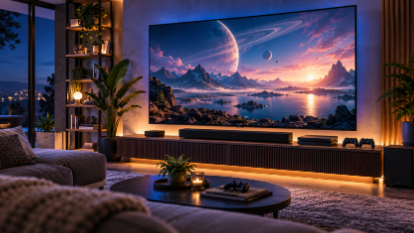
The modern living room has become more than a place to watch television. For movie lovers, gamers, and pop culture enthusiasts, it is now a personal entertainment hub.
A single screen can be used to watch a science fiction series, explore a massive open-world video game, revisit a classic superhero movie, or follow a live television broadcast.
However, having access to countless entertainment options does not automatically guarantee a great viewing experience.
The quality of your screen, streaming device, internet connection, audio equipment, and software settings can dramatically affect how your favorite content looks and sounds.
Fortunately, building an impressive smart TV setup does not require an unlimited budget.
Here is how to create a more enjoyable home entertainment experience while avoiding some of the most common mistakes.
1. Start With the Right Smart TV
The television is the centerpiece of any modern entertainment setup.
With so many display technologies and technical specifications available, choosing the right model can feel overwhelming.
Instead of focusing exclusively on screen size, consider the features that will actually improve your favorite activities.
OLED vs. LED: What Matters?
OLED televisions are particularly popular among movie enthusiasts because individual pixels can turn off completely, creating deep blacks and excellent contrast.
This can make an enormous difference when watching dark science fiction movies, atmospheric horror films, or visually demanding television series.
Modern LED televisions, including Mini-LED models, can also deliver impressive results, particularly in bright rooms.
Some offer extremely high brightness levels, making them attractive for daytime viewing and HDR content.
Neither technology is automatically the best choice for everyone.
Room lighting, viewing habits, budget, and personal preferences should influence the decision.
Is 4K Really Necessary?
For a new television purchase, 4K resolution is worth considering, particularly on larger screens.
A 4K display contains approximately 8.3 million pixels, compared with about 2.1 million on a Full HD screen.
This additional resolution can improve the appearance of fine textures, detailed environments, and high-quality video sources.
However, the difference depends on viewing distance, screen size, and the resolution of the original content.
A poorly compressed 4K stream may still look worse than a properly encoded Full HD video.
2. Choose a Streaming Device That Matches Your Needs
Although most modern televisions include built-in smart features, their performance can vary significantly.
Some television operating systems offer fast navigation and broad application support, while others become sluggish after several years of use.
A dedicated streaming device can be an effective upgrade.
Popular categories include:
- Android TV and Google TV streaming devices
- Amazon Fire TV devices
- Apple TV streaming boxes
- Roku streaming players
- Gaming consoles with entertainment applications
Each ecosystem has its advantages.
Google TV and Android TV devices offer access to a broad selection of compatible applications.
Apple TV devices are known for their integration with Apple’s ecosystem and supported audiovisual features.
Fire TV and Roku devices provide accessible streaming interfaces with varying application availability depending on the country.
Gaming consoles can also function as entertainment centers, although their supported media features differ from those of dedicated streaming hardware.
Before choosing a device, check whether it supports the specific applications and video formats you intend to use.
3. Understand the Different Types of Television Streaming
One common source of confusion is the terminology surrounding internet television.
Not every internet-based video platform operates in exactly the same way.
For example, subscription video-on-demand services typically allow users to select individual films or episodes from a library.
Live television platforms provide scheduled programming, sometimes with cloud recording or replay features.
Another technology used in digital television distribution is IPTV, or Internet Protocol Television.
IPTV delivers television content through internet protocol networks instead of relying solely on traditional terrestrial, cable, or satellite broadcasting.
Depending on the service, IPTV technology may support live channels, video-on-demand features, and interactive television functions.
For consumers, the most important distinction is between the underlying technology and the actual service being offered.
Content availability, subscription conditions, device compatibility, and distribution rights depend on the individual provider.
A service using IPTV technology is not automatically authorized to distribute every television channel, movie, or sporting event.
Understanding this difference helps viewers make informed decisions when comparing digital entertainment options.
4. Optimize Your Internet Connection
Even an expensive television can struggle to provide a good streaming experience when the internet connection is unreliable.
High-quality video requires a consistent flow of data.
If the network cannot maintain that flow, playback may pause, the picture may become blurry, or the application may fail to load properly.
How Much Internet Speed Do You Need?
Exact requirements vary by platform, compression technology, and picture quality.
As a general planning guide:
| Video quality | Approximate connection speed per stream |
| Standard Definition | 3–5 Mbps |
| Full HD | 5–10 Mbps |
| 4K Ultra HD | 15–25 Mbps or more |
These figures are illustrative rather than universal service requirements.
A household with multiple televisions, gaming consoles, video calls, and connected devices will generally benefit from additional available bandwidth.
Connection stability is just as important as maximum download speed.
Wi-Fi vs. Ethernet
Wi-Fi is convenient, but its performance can be affected by distance, interference, and physical obstacles.
Ethernet provides a wired connection between the streaming device and the router.
When practical, Ethernet can reduce the variability associated with wireless connections.
For devices that must use Wi-Fi, consider:
- Positioning the router in a central location
- Reducing obstacles between the router and television
- Using an appropriate Wi-Fi band
- Keeping router firmware updated
- Avoiding unnecessary downloads during streaming
A properly configured home network can often improve the viewing experience without requiring a more expensive television.
5. Don’t Ignore Sound Quality
Visual quality receives most of the attention when people discuss home entertainment.
However, audio plays an equally important role.
Imagine watching a space battle in a science fiction movie or exploring an atmospheric world in a role-playing game.
The soundtrack, environmental effects, and directional audio contribute enormously to the experience.
Unfortunately, many modern televisions have limited space for powerful speakers.
A soundbar can be a straightforward improvement.
More advanced users might consider a surround-sound system with multiple speakers and a dedicated subwoofer.
Before purchasing audio equipment, check compatibility with your television and preferred content formats.
Features such as Dolby Atmos require appropriate support throughout the playback chain, including the content, application, device, and audio equipment.
6. Create a Setup That Works for Both Streaming and Gaming
For many pop culture enthusiasts, the same television serves two purposes: watching entertainment and playing video games.
This makes it important to balance cinematic picture quality with gaming performance.
Several features deserve attention.
Refresh Rate
Refresh rate describes how often a television can update its image.
A 120Hz television can display up to 120 refreshes per second, provided the connected hardware and content support the appropriate output.
This can improve smoothness in compatible video games.
However, ordinary movies are frequently produced at 24 frames per second, so a higher refresh rate does not automatically improve every type of content.
Variable Refresh Rate
Variable Refresh Rate, or VRR, allows a compatible display to synchronize its refresh behavior with a gaming device’s frame output.
This can reduce visible screen tearing and improve perceived smoothness when frame rates fluctuate.
Auto Low Latency Mode
Auto Low Latency Mode allows compatible televisions to switch automatically to settings designed to reduce input delay.
This is particularly useful for fast-paced games where responsive controls matter.
For movie watching, users may prefer cinema-oriented picture settings instead.
7. Explore Entertainment Options in the Netherlands
Digital entertainment preferences vary significantly between countries.
Language, licensing agreements, local television channels, and regional subscription services all influence the choices available to viewers.
The Netherlands has a particularly interesting mix of international streaming platforms and domestic television services.
Dutch viewers may want access to international movies and series while also maintaining convenient access to local programming.
For consumers researching IPTV Nederland services, it is worth comparing device support, streaming reliability, transparent subscription conditions, and the availability of legitimately licensed Dutch-language content.
An attractive interface or a long advertised channel list does not necessarily indicate a trustworthy service.
Before subscribing, viewers should verify:
- Whether the service works on their preferred devices
- Whether its content offerings are clearly identified
- Whether the provider has the necessary distribution rights
- Whether customer support is available
- Whether prices and renewal terms are transparent
- Whether privacy and payment information are handled responsibly
Making these checks beforehand can help avoid compatibility problems, unexpected costs, and unreliable subscriptions.
8. Organize Your Streaming Applications
A modern entertainment setup can easily become cluttered with applications.
Movie streaming services, television apps, gaming platforms, music services, and media libraries may all compete for space on the home screen.
A simple organization strategy can make navigation easier.
Start by placing your most frequently used applications in the most accessible positions.
Remove or hide applications you no longer use.
Where supported, create separate user profiles for different household members.
Profiles can help keep recommendations and viewing histories more relevant.
It is also worth periodically reviewing active subscriptions.
Paying for several services simultaneously may be unnecessary if you only use a few regularly.
Rotating subscriptions according to what you currently want to watch can sometimes reduce entertainment expenses.
9. Avoid Common Streaming Setup Mistakes
Even experienced technology enthusiasts occasionally overlook basic configuration issues.
Here are several common mistakes worth avoiding.
Leaving the Television in Store Display Mode
Retail display settings are often designed to look impressive under bright showroom lighting.
At home, these settings can produce exaggerated colors, excessive sharpness, or unnatural motion.
Cinema-oriented picture modes are often a better starting point for films and television.
Ignoring Software Updates
Outdated firmware and applications can cause compatibility problems, performance issues, or security vulnerabilities.
Keeping devices updated helps maintain reliability.
Using Poor-Quality HDMI Cables or Incorrect Ports
Not every HDMI port on a television necessarily supports the same features.
For advanced gaming functions such as 4K at 120Hz, users should verify the specifications of the television, connected device, and cable.
Assuming Every Streaming Service Offers the Same Quality
Supported resolutions, HDR formats, audio options, and device compatibility vary by provider.
Check the technical specifications of the service rather than assuming all platforms deliver identical results.
Overlooking Content Licensing
Services making unusually broad promises about premium movies, channels, or sports programming deserve additional scrutiny.
Look for transparent business information and authorized content distribution.
10. What Comes Next for Home Entertainment?
Connected television technology continues to evolve.
Future improvements in video compression, display performance, network infrastructure, and software design could make high-quality entertainment easier to access.
More sophisticated recommendation systems may help viewers discover content across their preferred platforms.
Gaming and television features may also become more closely integrated as manufacturers develop increasingly powerful connected devices.
At the same time, consumer expectations will continue to rise.
People want applications that launch quickly, interfaces that are easy to navigate, and streaming experiences that work reliably.
The most successful home entertainment technologies will likely be those that combine technical innovation with simplicity and convenience.
Final Thoughts
Building an excellent smart TV entertainment setup is about more than purchasing the most expensive equipment.
A well-chosen television, compatible streaming device, stable network connection, and properly configured audio system can dramatically improve the experience of watching movies, enjoying television series, and playing games.
Understanding how different streaming technologies work also helps consumers evaluate the growing range of digital entertainment services.
For pop culture enthusiasts, the ultimate goal is straightforward: create a comfortable, reliable setup that lets technology fade into the background while the entertainment takes center stage.

