


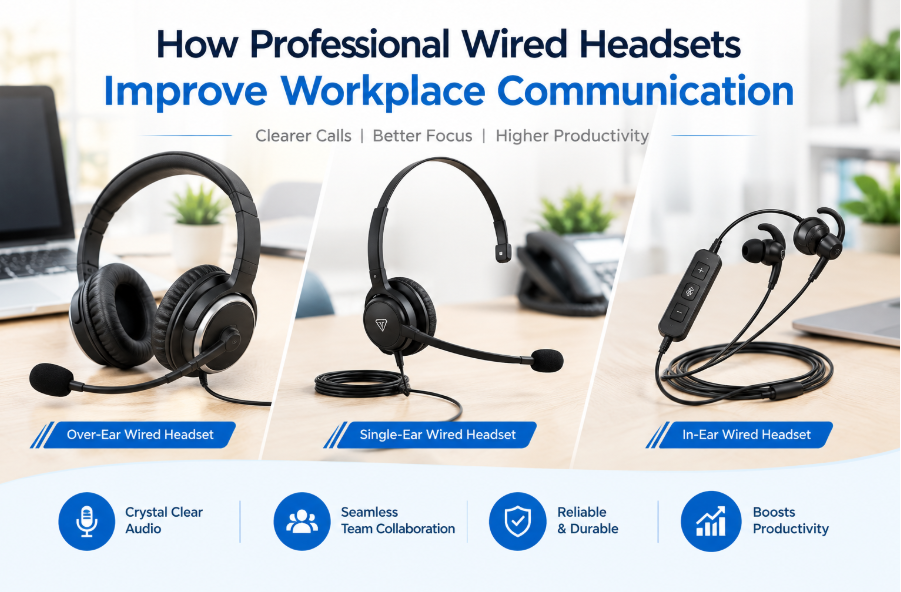
Clear communication is essential for businesses that depend on phone calls, online meetings, and customer support. Employees need reliable audio equipment to communicate with colleagues, understand customers, and manage daily tasks efficiently. A professional wired headset can help create a more consistent communication experience while reducing the inconvenience of holding a phone during long conversations.
For offices, call centers, remote teams, and customer service departments, choosing the right headset involves considering sound quality, microphone performance, comfort, and device compatibility. A suitable headset can support productivity and make everyday communication more convenient.
Why Wired Headsets Remain Useful
Although wireless devices offer flexibility, wired headsets remain a practical choice for many workplaces. They connect directly to compatible devices, eliminating the need to manage a separate headset battery. A wired connection can also provide dependable audio for employees who spend much of their working day on calls.
USB headsets are especially useful for professionals who communicate through computers and unified communications platforms. They are often straightforward to set up and can provide convenient access to call controls, volume adjustment, and microphone mute functions.
Businesses can explore professional models such as the Yealink UH46 USB wired headset when looking for equipment designed for office communication and extended daily use.
Clear Audio for Calls and Meetings
Audio quality affects how easily people understand one another during conversations. Poor sound can lead to repeated questions, misunderstandings, and interruptions. A professional headset with suitable speakers and microphone technology can help improve speech clarity.
The Yealink UH46 features 35 mm speakers and a three-microphone noise-cancellation system designed to reduce unwanted background sounds during calls. These features can be useful in busy offices and shared workspaces where surrounding conversations may otherwise interfere with communication.
Clear audio is valuable for customer service representatives, sales teams, technical support staff, and professionals who regularly attend virtual meetings. It helps conversations remain focused and makes it easier for participants to follow important information.
Reduce Background Noise
Office environments can contain many sources of distraction, including nearby conversations, keyboard sounds, and general workplace activity. A headset with noise-cancelling microphone technology can help limit the effect of some surrounding sounds on outgoing voice transmission.
The Yealink UH46 combines three microphones with Yealink Acoustic Shield technology to improve voice isolation. This can help make conversations easier to follow when employees work in shared offices or home environments.
However, microphone noise cancellation does not make every environment completely silent. Employees should still choose a suitable workspace and adjust their setup to minimize unnecessary background noise.
Comfort for Extended Working Hours
Comfort is an important consideration for anyone who wears a headset throughout the workday. Heavy equipment, excessive pressure, or poorly fitted ear cushions may become uncomfortable during long calls.
A well-designed headset should provide a suitable fit and allow employees to wear it without unnecessary strain. The Yealink UH46 includes soft ear cushions, an ergonomically designed headband, and rotating earcups intended to support comfortable daily use.
The model is available in mono and dual-ear versions. A mono headset leaves one ear uncovered, which may be useful for employees who need to remain aware of nearby conversations. A dual-ear design covers both ears and can help users focus on calls in busier environments.
The right choice depends on individual comfort, workplace noise, and the type of communication employees handle.
Convenient Controls for Everyday Tasks
Accessible controls can make a headset easier to use throughout a busy workday. Employees may need to answer calls, adjust volume, or mute their microphones without searching through software menus.
The UH46 includes an in-line controller for call management, volume adjustment, and microphone muting. It also supports lifting the microphone boom to mute, offering another convenient way to manage audio during conversations.
Dual busy lights help indicate when a user is engaged in a call. This visual signal can be helpful in shared workspaces because colleagues can more easily recognize when someone is busy.
These practical features can reduce small interruptions and help employees manage calls more efficiently.
USB Connectivity and Device Compatibility
Before purchasing a headset, businesses should check whether it works with their computers and communication software. Connection type, operating system support, and platform requirements can affect the overall user experience.
The Yealink UH46 uses a USB-C cable with a USB-A adapter, offering connection flexibility for compatible devices. The headset is available in Microsoft Teams-certified and UC versions, so organizations should select the variant that best matches their communication environment.
Checking compatibility before ordering is particularly important when purchasing equipment for an entire department. Standardizing on suitable devices can simplify setup, employee training, and ongoing equipment management.
Choosing Headsets for Business Teams
Businesses should evaluate more than the initial purchase price when selecting headsets. Comfort, microphone quality, durability, compatibility, and ease of use can all influence long-term value.
For example, a call center may prioritize microphone performance and convenient call controls, while a hybrid team may focus on comfort and compatibility with meeting applications. Companies should also consider whether employees need mono or dual-ear designs.
Testing a headset before placing a large order can help confirm that its fit, controls, and audio performance meet workplace requirements. Reviewing these factors helps organizations make informed purchasing decisions and select equipment suited to their daily operations.
Conclusion
Professional headsets remain useful tools for offices, customer support teams, and remote professionals. Reliable connectivity, clear audio, noise-cancelling microphones, and comfortable designs can help make everyday communication more effective.
By evaluating workplace needs and checking device compatibility, businesses can choose headsets that support employee productivity and consistent customer interactions. Models such as the Yealink UH46 provide a combination of audio features, practical controls, and wearing options that can suit a range of professional communication environments.

